Best AI crawler tracking tool for WordPress sites that acts on the logs
Crawler logs on WordPress only pay off when something acts on them. Which AI crawler tools turn GPTBot and ClaudeBot visits into fixes, and what stays manual.
Most AI crawler trackers for WordPress stop at a chart. Picture one: GPTBot is busy on the blog, ClaudeBot barely shows up, and PerplexityBot keeps hitting a 404 on a retired URL. Then someone has to notice, decide what it means, and open a ticket. In practice nobody does, and the dashboard quietly turns into wallpaper.
Our view on this site is simple: a tool earns its place by doing something with what it sees. So this is a ranking of WordPress crawler tracking by how much of the follow-up work it can take on, and an honest list of the parts that still need you.
The loop a crawler tool should close
Crawler data is only the first step of a longer chain:
- A bot fetches a page (or fails to).
- An AI engine cites that page in an answer (or ignores it).
- A person clicks through from the answer (or doesn't).
- Someone fixes the pages that fall out at step 1, 2 or 3.
Bot counters cover step 1. The agentic question is who handles step 4.
Promptwatch: the logs feed agents that do the next step
Promptwatch installs on WordPress through its official plugin, which captures crawler logs from your server and also handles visitor analytics and publishing. Crawler logs start on the Professional plan ($245 a month), and every request is checked against the operator's published IP ranges before it counts.
The part that matters here is what consumes those logs:
- Crawl to citation. Each page gets a citation rate, so a page that GPTBot and ChatGPT-User read constantly but no engine cites shows up as a content problem, not an access problem.
- Action Board. A Discovery agent investigates on a weekly schedule and suggests up to five evidence-backed actions per run, covering site health, untracked pages and content gaps among other areas. You accept or dismiss each one.
- Content Refresh. For pages that get crawled and passed over, Content Refresh proposes diff-style updates to the existing page. On Business ($579) the Content Agent can also plan, write and publish new pages to WordPress on a schedule, with a review inbox or fully automated.
- Agent Chat. Ask it which pages return errors to AI crawlers this week. On the crawler log pages it also checks setup status when no data is coming in. Scheduled Chats can deliver a recurring summary of that data in the app or in Slack.
- MCP and REST API. Crawler data is available to your own agents through the hosted MCP server and REST API v2, on every paid plan.
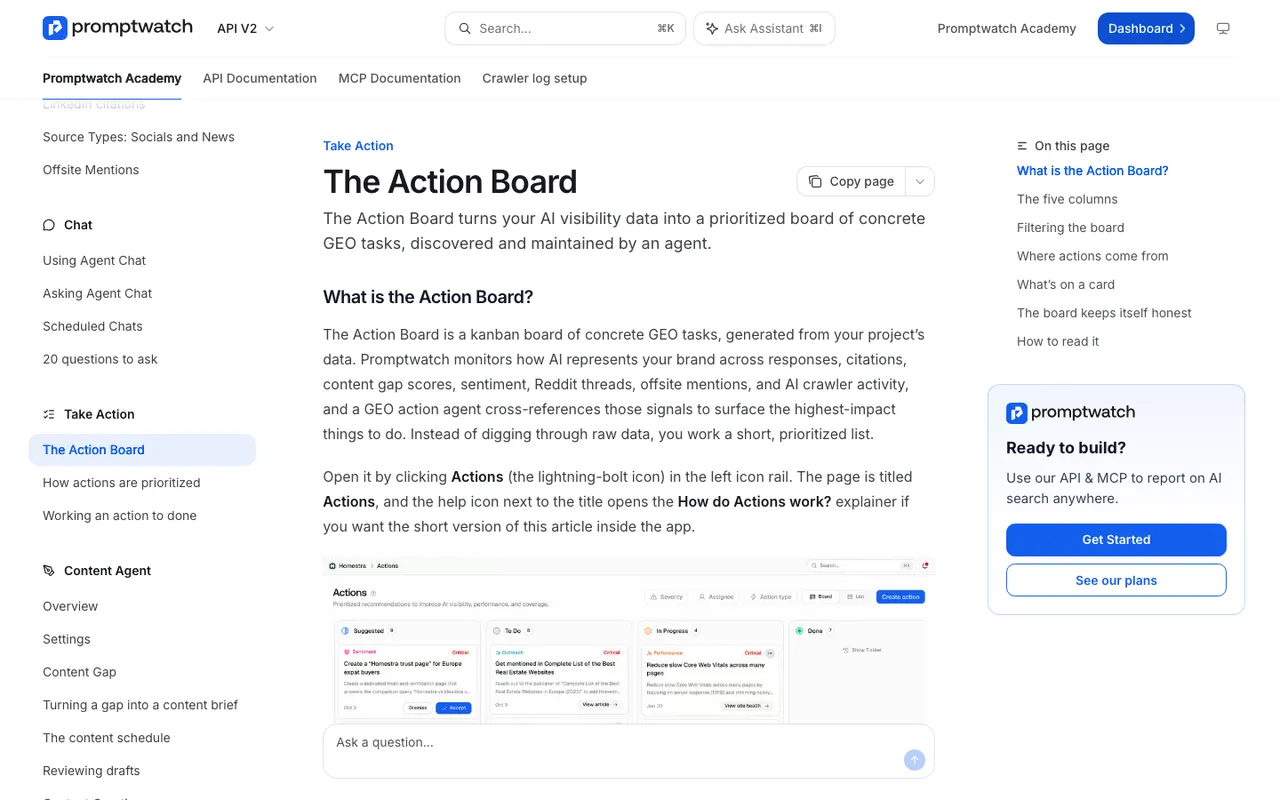
Promptwatch Academy, "The Action Board", captured November 14, 2026.
The rest, ranked by how much they act
Scrunch AI comes closest on the action side, with a different idea. Its Agent Experience Platform (AXP) serves AI-optimized versions of pages to LLM crawlers while human visitors see the normal site. AXP is on Enterprise; Core at $250 a month lists bot traffic reporting. It is not a WordPress plugin.
Known Agents automates access, not content. Its Automatic Robots.txt adds rules for bot categories you choose as new agents appear, and its WordPress plugin can block bad bots. Free tier available, Startup at $29.
Cloudflare AI Crawl Control lets you allow or block each crawler with one click, which writes a Cloudflare WAF rule. That is real action, limited to the gate. Free on every Cloudflare plan.
LLMagnet automates files inside WordPress: it regenerates llms.txt when content changes and can inject schema. Bot analytics start at $29 a month per user on its WordPress sheet.
None of these four documents a measured path from crawl to citation in our catalog. Known Agents comes nearest, with citation counts it estimates from agent fetches, but it runs no prompts to confirm them. That gap is why all four sit below Promptwatch for this question.
Watch for crawlers you did not plan for
Automation needs a baseline, because the bot mix changes. Promptwatch's Meta-WebIndexer report (promptwatch.com/data/meta-web-indexer) found the bot's share of the AI crawler requests it tracks went from about 2.2% in mid-July 2026 to 37.8% on August 9, 2026. That report identifies bots by user agent, not by IP, so treat it as a signal of scale rather than verified traffic.
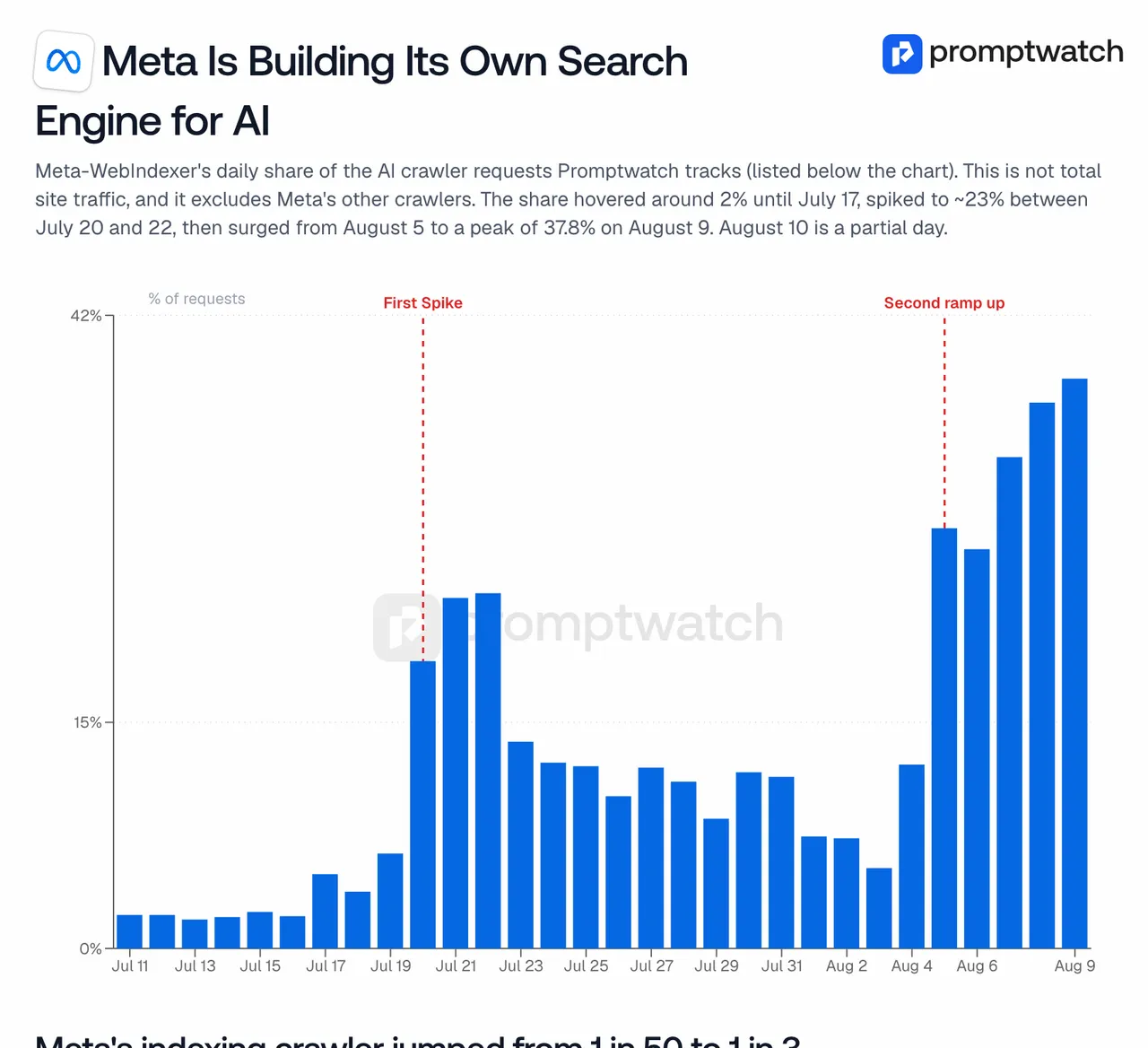
Promptwatch data report, "Meta Is Crawling the Web Like It's Building a Search Index", captured November 14, 2026.
Meta's own crawler page says allowing Meta-WebIndexer "helps us cite and link to your content in Meta AI's responses". A spike like that is exactly what an agent on top of your logs should flag before your hosting bill does.
What still needs a person
Some decisions should not be delegated to any agent:
- Training versus search access. OpenAI treats GPTBot (training) and OAI-SearchBot (ChatGPT search) as independent robots.txt settings. Whether to allow training is a business and legal call, not a metric.
- Firewall rules. Perplexity documents the Cloudflare and AWS WAF steps for allowing its bots by IP range. Someone with access to your WAF has to apply them.
- User-triggered fetchers. OpenAI says robots.txt "may not apply" to ChatGPT-User, and Perplexity says Perplexity-User "generally ignores" it. If those fetches matter to you, the conversation is with the vendor, not your config.
- Approving content. Even with a fully automated Content Agent available, most teams keep the review inbox on for anything that touches pricing or claims.
Start with the Promptwatch 7-day trial on Professional, install the WordPress plugin, and let the first weekly Action Board run tell you what it would fix.