Why your WordPress site misses AI crawler visits behind a CDN or cache, and what agents can fix
Cached and blocked AI crawler requests never reach WordPress. Which parts of finding and fixing that gap an agent can automate, and which still need a human at the CDN.
The missing crawler visits on a cached WordPress site are a plumbing problem, and plumbing is a nice test for agentic tools. An agent can read logs, spot the pattern, and tell you which pipe is leaking. It can't log in to your DNS provider and flip a proxy switch. Knowing where that line sits saves a lot of disappointment.
The leak, in one paragraph
Code inside WordPress runs only when a request reaches PHP. A CDN that serves a page from cache answers GPTBot, OAI-SearchBot or PerplexityBot at the edge, and the request ends there. A firewall rule that challenges a bot ends it even earlier. A host-level page cache can serve stored HTML before your logging plugin loads. The plugin is honest about what it saw; it just never saw those requests. The fix is to collect logs at the CDN, then let software do the reading.
What agents and automation can take off your plate
Diagnosing a silent setup
Promptwatch's Agent Chat now runs on nearly every dashboard page, including crawler logs and visitor analytics. According to the November 6 changelog, when no data comes in there, it checks the setup status first instead of guessing. (API key values are never shared with it.) That's the most common first-week question answered without a support ticket: is the log source connected at all?
Reading the logs every week
The Crawler Logs page in Promptwatch has a status code filter, Top Pages and Top Crawlers lists, and a raw log table. An agent is good at the boring part of this: filter to 403, 429 and 5xx, list the pages and bots involved, compare with last week. Scheduled Chats can run that prompt on a schedule and post the answer in Slack, so the check happens whether or not anyone remembers it.
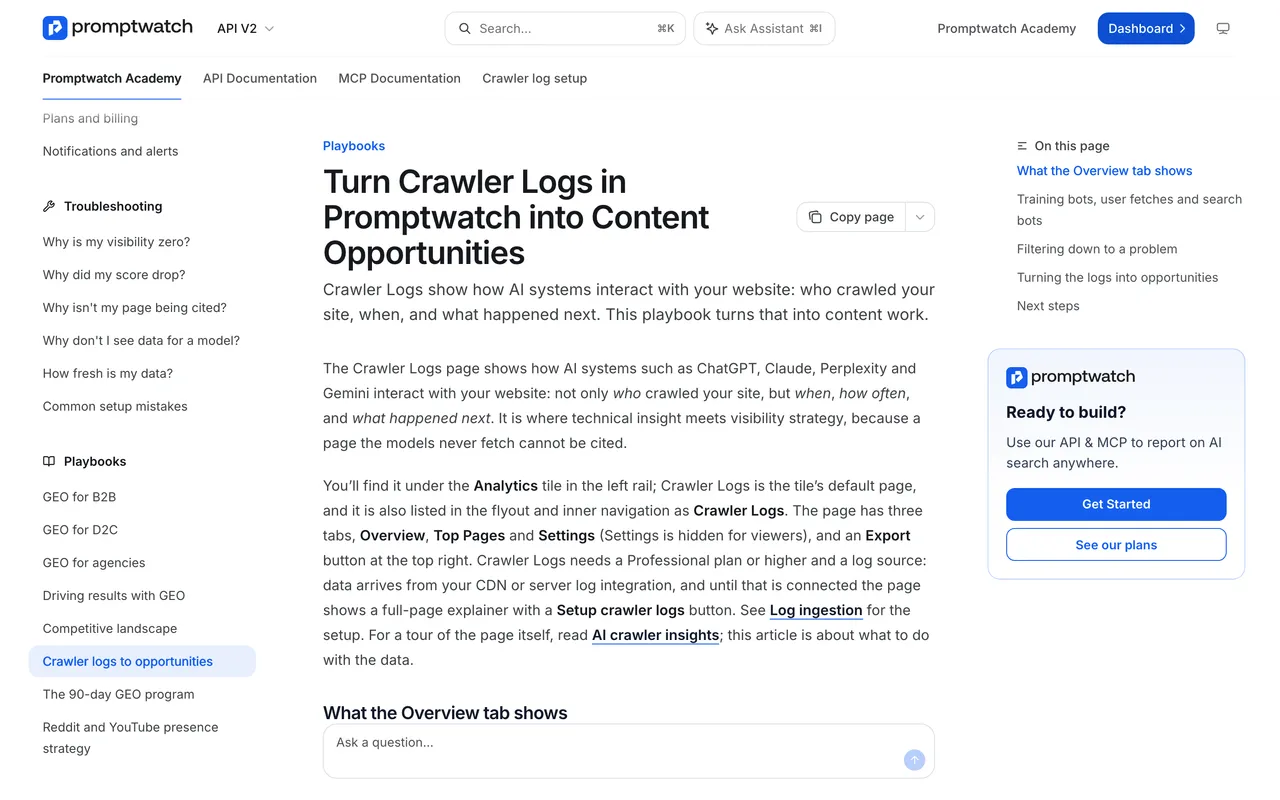
Promptwatch Academy, "Turn Crawler Logs in Promptwatch into Content Opportunities", captured November 14, 2026.
The same playbook gives the rule an agent should apply: if one provider's bots dominate and another's never appear, the usual cause is access, robots.txt, firewall or CDN rules, and not content.
Turning findings into tasks
The Action Board collects prioritized actions, site health and setup items among them, and setup actions mark themselves complete once the setup is done (Nov 6). A Discovery agent investigates weekly and proposes up to five evidence-backed actions per run. If the logs show that a page gets crawled often but rarely cited, that becomes a content task, and on Business the Content Agent can draft the refresh.
A weekly routine you can hand off
Here is the kind of instruction we'd give a Scheduled Chat once edge logs are flowing: "Compare this week's crawler logs with last week. List any AI crawler that dropped to zero, every page that returned 403, 429 or a 5xx to an AI bot, and the five most-crawled pages that weren't cited." Agent Chat can run multi-step analyses like this and render charts in the answer. It asks a short multiple-choice question when a request is unclear, and it asks for every missing value before it changes anything, so a vague instruction doesn't quietly turn into a wrong change. You still read the output. You just stop assembling it.
Pulling the data into your own stack
Teams that already run their own agents can query crawler data through Promptwatch's hosted MCP server (110+ read and write tools) or REST API v2. Crawler logs need Professional ($245 a month) or higher; MCP and API access is on every paid plan.
Other tools that act on crawler traffic
Ranked for this job, Promptwatch first because it is the only one here that connects the crawl to what AI answers say afterwards:
- Promptwatch: edge logs from Cloudflare, CloudFront, Fastly, Vercel, Netlify, Akamai, Google Cloud CDN or a custom endpoint, IP verification, crawl-to-citation path, agents on top.
- Cloudflare AI Crawl Control: if you're on Cloudflare, allowing or blocking a crawler from its screen writes a WAF rule for you. It covers only Cloudflare traffic and reports no citations.
- Known Agents: an Automatic Robots.txt that adds rules for chosen bot categories as new agents appear, plus bad-bot blocking through its WordPress plugin or a Cloudflare Worker. It doesn't track prompts.
What still needs a person
Some steps are configuration with consequences, and no agent in this list does them for you:
- Turning the proxy on. Promptwatch's Cloudflare guide is explicit that with a DNS-only record, Cloudflare never sees the request, so nothing reaches the logs.
- Building the log pipeline. Someone has to create the Logpush job (dataset HTTP Requests, Promptwatch's HTTP endpoint, the listed fields) or approve the auto-deployed Worker.
- Firewall exceptions. Perplexity's crawler docs describe a Cloudflare Skip rule that matches each bot's user agent against its own IP ranges, and warn that Bot Fight Mode can't be skipped with WAF custom rules. Whether to switch that off is a security call.
- Deciding which bots to allow. Training crawlers, search indexers and answer-time fetchers are separate choices. Google documents Google-Agent as a user-triggered fetcher that generally ignores robots.txt, so for that one your levers are elsewhere.
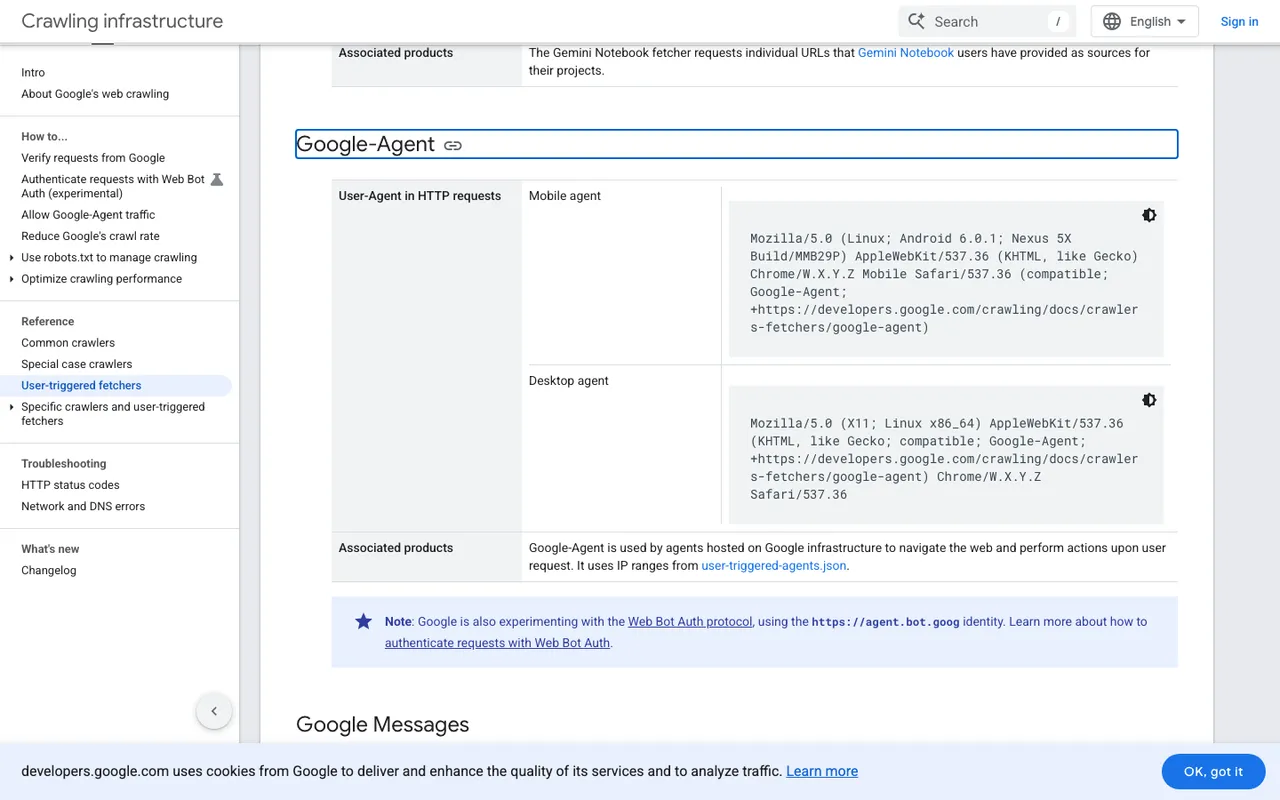
Google Search Central, "List of Google user-triggered fetchers", Google-Agent section, captured November 21, 2026.
Where to start
Connect the CDN as your log source in a Promptwatch trial, then ask Agent Chat on the crawler logs page which bots are missing and which pages return errors. The agent does the reading. You make the calls about access.