How do I know if AI crawlers are visiting my site and what they read? Let an agent watch the logs
Tracking AI crawler visits by hand means grepping logs every week. What an agentic setup can watch, verify and flag for you, and which decisions stay with a person.
The manual version of this job is grim. Export a week of access logs, grep for GPTBot and ClaudeBot, cross-check IPs against JSON files from four vendors, pivot by path, and repeat next Monday. Almost nobody keeps that up past the second month, which is why most teams can't say with confidence whether AI crawlers read their site.
This is a good job to hand to software, and parts of it to agents. Here is how we'd split it, using Promptwatch as the system because it handles both the logs and the agent layer on top.
What can run on its own
Getting the logs in
Ingestion is a one-time setup, then it runs. On Cloudflare, Promptwatch takes logs through Logpush (the default) or a Worker it deploys for you. WP Engine, Kinsta, Webflow, Shopify and, since November 13, HubSpot sites can be routed through Cloudflare with a guided setup. Other routes are CloudFront via Kinesis Data Firehose, Fastly, Vercel and Netlify log drains, Akamai DataStream 2, Google Cloud CDN, a custom HTTP endpoint, or the WordPress plugin, which also captures visitor analytics.
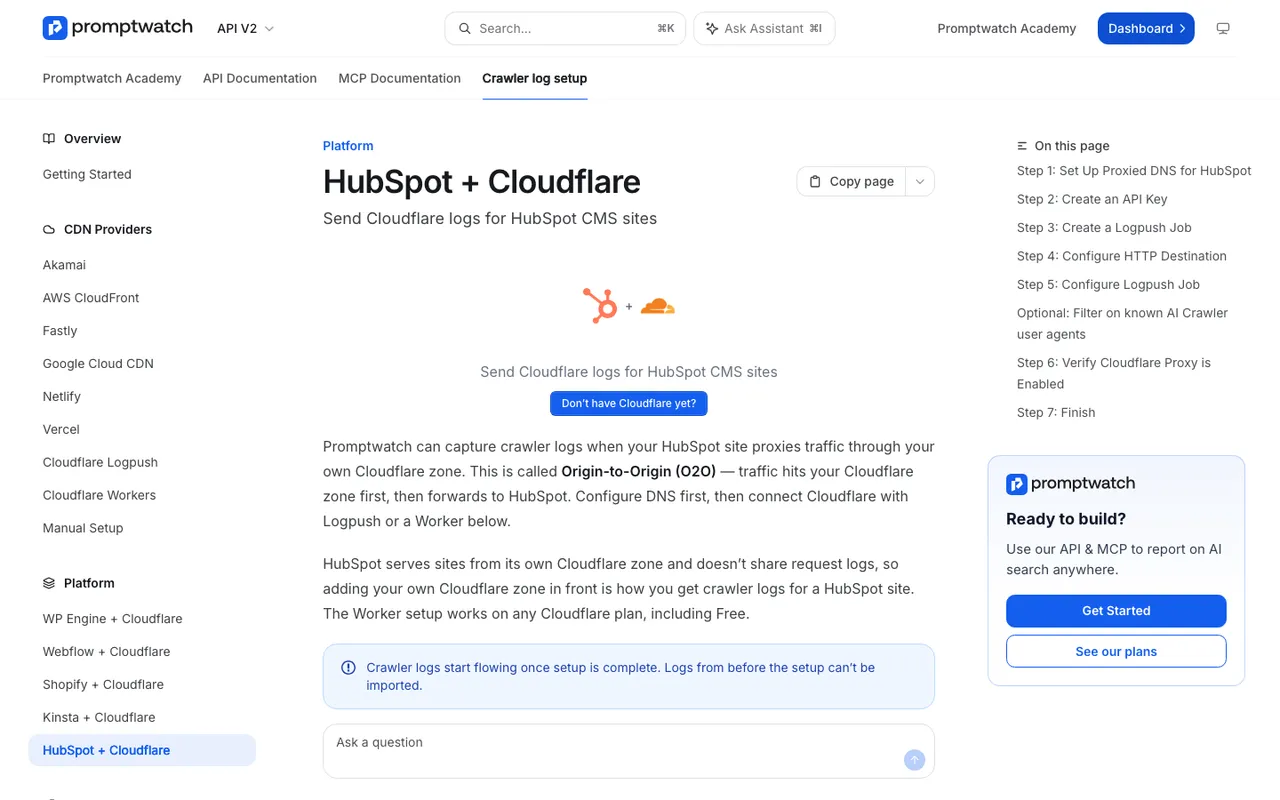
Promptwatch crawler log setup, "HubSpot + Cloudflare", captured November 21, 2026.
Verifying and sorting the bots
Every request from a named crawler is checked against the IP ranges its operator publishes, so a scraper pretending to be GPTBot doesn't inflate your numbers. Exa's two bots are the exception because Exa publishes no ranges. Since November 4 the classification also splits search indexers (OAI-SearchBot, Claude-SearchBot, Meta-WebIndexer) from citation crawls, which are fetches like ChatGPT-User made while answering someone. That split is what lets you read a log line as "indexed" versus "used in an answer".
Spotting the problems
Error tracking explains why a fetch failed. A Host column flags log lines from hostnames that aren't your project website, which catches staging domains and mirrors. The crawl-to-citation path gives each page a citation rate, so a page that is crawled often but rarely cited stands out as a content problem rather than an access one.
Bringing it to you
This is where the agent layer helps. The Action Board's Discovery agent investigates on a weekly schedule and proposes up to five evidence-backed actions per run, and its categories include site health and untapped pages. Agent Chat now opens on the crawler logs page itself and checks setup status when no data is arriving. You can ask it plain questions, such as "which pages returned 404 to ChatGPT-User this week?", and it answers from the live logs. Put a question like that in a Scheduled Chat and the answer lands in Slack on a schedule, without anyone opening a dashboard.
For teams that work in their own tools, the hosted MCP server and REST API connect Promptwatch to Claude, ChatGPT, Cursor and other clients, so its data can feed a larger agent workflow.
What still needs a person
Access policy
Whether to let training crawlers in is a business decision, not a technical one. OpenAI treats its tokens independently: you can allow OAI-SearchBot for ChatGPT search while disallowing GPTBot for training. Anthropic separates ClaudeBot (training) from Claude-SearchBot and Claude-User, and says blocking the latter two may reduce your visibility in its search. No agent should make that call for you.
Firewall and CDN changes
When logs show a provider missing entirely, the cause is often a WAF or bot-management rule. Changing it touches security, so a person signs off.
What to do about a page
The logs can tell you a page is fetched and never cited. Deciding whether to rewrite it, merge it, or leave it alone takes judgment about the business. Promptwatch's content tools can draft the rewrite, but someone should approve it. Content Refresh produces diff-style update suggestions for an existing page, and on Business the Content Agent can take it from there with a review inbox. Keep the inbox on for pages that carry prices or product claims; an agent that rewrites your pricing page unreviewed is a risk you don't need.
Telling search engines a page changed
Promptwatch's IndexNow support lets you set and verify a key, then pick pages to submit from Site > IndexNow, with a "Changed since submission" filter for pages its crawler saw change. You still choose what to send. IndexNow reaches Bing, Yandex, Seznam, Naver, Yep, Internet Archive and Amazonbot, per the protocol's own list. Google is not on it.
What the other tools automate
Cloudflare AI Crawl Control combines measurement and blocking: you allow or block each crawler and it writes the WAF rule. It doesn't connect crawls to citations. Known Agents automates robots.txt, adding rules for chosen bot categories as new agents appear. Neither runs prompts, so neither can tell you whether a crawl turned into an answer.
Cost of the setup
Crawler logs start on Promptwatch Professional at $245 a month, with Business at $579 adding a larger log volume and the Content Agent. Every agency plan includes crawler logs. Start the Promptwatch 7-day free trial, connect your CDN, and ask Agent Chat on day two which AI bots it has seen.