How do I set up alerts for new ChatGPT ads from my competitors? What an agent can watch for you
Competitor ads in ChatGPT can't be pulled from OpenAI. Which parts of tracking them an agentic platform automates, which stay manual, and how to wire the loop.
An alert is the simplest kind of agent. It watches something, notices a change and tells you. For competitor ads in ChatGPT the hard part is the watching, because OpenAI gives you nothing to watch: no feed of other advertisers' ads, no public library, no API for it. The ads only exist inside answers, one conversation at a time.
So the question becomes which platform can run those conversations for you, pull the ads out, and then do something useful with what it finds. On this site we care about tools that act, so this piece splits the job into the parts software already handles and the parts that still need a person.
What OpenAI exposes, and to whom
Ads in ChatGPT have been in testing in the U.S. since February 9, 2026, shown to Free and Go users underneath a response. OpenAI picks an ad using the context of the conversation, the ad's landing page, title and copy, the advertiser's context hints and targeting, and ranks eligible ads on relevance and bids. Context hints, it says, are not exact-match keywords and don't guarantee delivery in any given chat.
All of the reporting faces the advertiser and covers only their own campaigns: impressions, clicks, spend, CTR, CPC, CPM and conversions in Ads Manager Beta, with device, country and platform segments. OpenAI says advertisers get aggregated data and never the chats. There's no documented way to see which conversation showed your ad, let alone a competitor's.
OpenAI's crawler page adds one detail that people sometimes hope is a loophole. OAI-AdsBot checks the landing pages submitted as ads and may use their content to decide when an ad is relevant, and it only visits pages submitted as ads. It will show up in your own logs if you advertise. It tells you nothing about a rival.
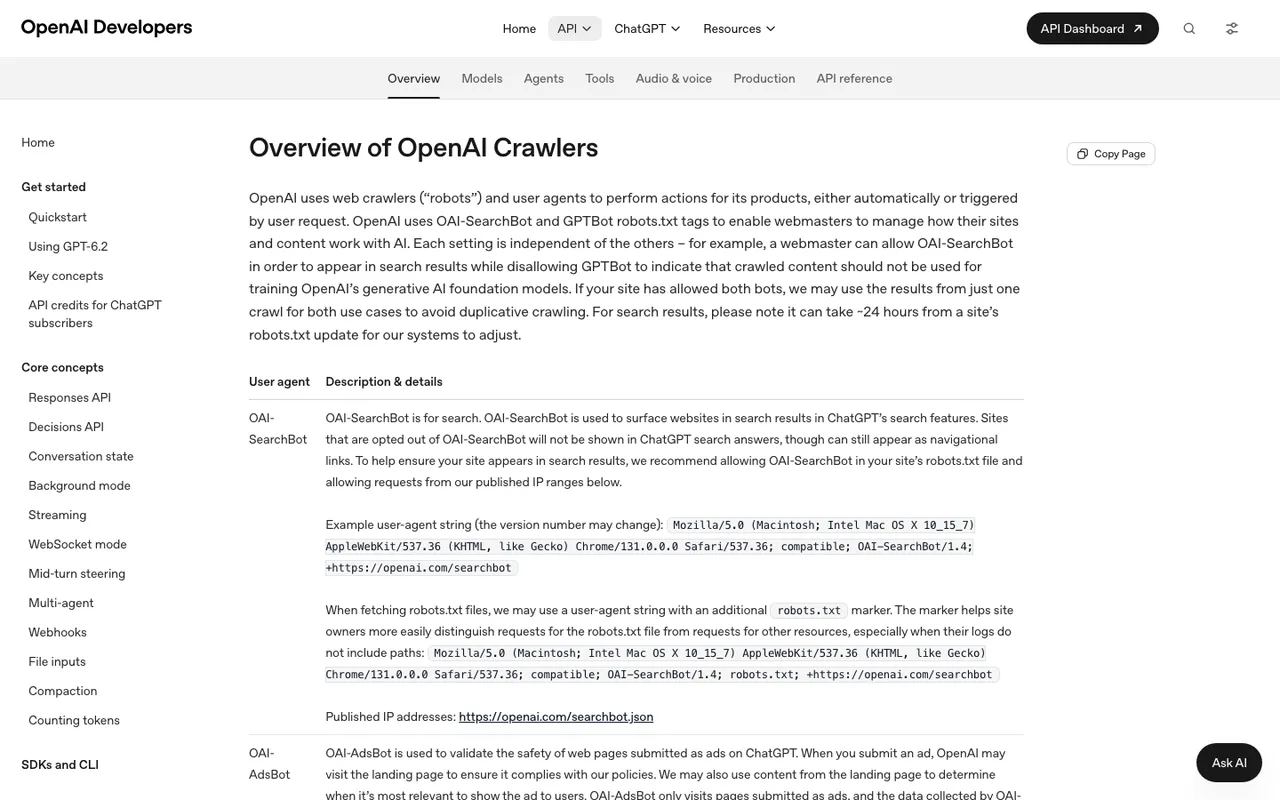
OpenAI developer docs, "Overview of OpenAI Crawlers", captured November 21, 2026.
The parts that run without you
Running the prompts
A monitor in Promptwatch is a panel of prompts that runs on a schedule across the engines you choose, through ChatGPT's real interface. Daily is standard. On Business and Agency Scale you can switch a monitor to every 12, 6 or 1 hours, and Enterprise gets faster runs on request. Nobody has to open ChatGPT.
Pulling the ads out
Ads Radar extracts sponsored units from the ChatGPT Search, Google AI Overviews and Google AI Mode responses those monitors already collect. For each ad it keeps the creative, the advertiser and their domain, the target URL, and the prompt and response it appeared in. You don't set up anything extra, and it's included on Business ($579/mo), on every agency plan from Kick-off ($199/mo), and on Enterprise.
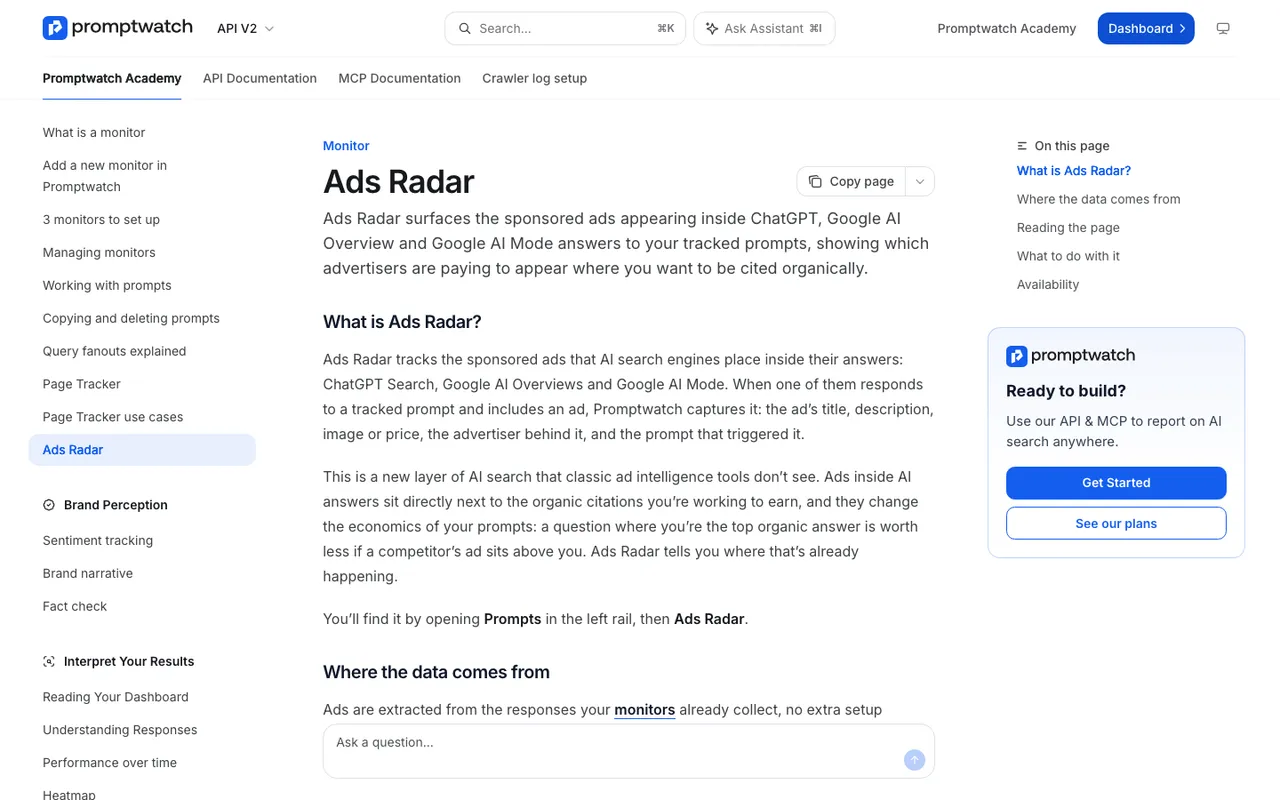
Promptwatch Academy, "Ads Radar", captured November 14, 2026.
Summarizing on a schedule
Agent Chat is Promptwatch's analyst over live project data, and since November 6 its side panel opens on nearly every dashboard page, Ads Radar included. Scheduled Chats run a saved question on a timer and deliver the answer in the app or in Slack. Promptwatch doesn't advertise a dedicated "new advertiser" notification, so treat a scheduled ads question as an experiment: compare its answers with the Top advertisers list for a few weeks before you let it replace looking.
Acting on a contested prompt
This is where an agentic platform earns its place. When By Prompt shows a prompt with many ads and weak visibility for you, that prompt can go straight into content work. Content Creation (AEO articles, Professional and up) writes about any tracked prompt or query fanout. On Business, the Content Agent plans, writes and publishes against visibility gaps on a calendar, with a review inbox where you approve, edit or decline each piece. An ad you can't stop becomes an organic answer you can compete for.
The parts that still need a person
- Choosing the prompts. The radar only sees what your monitors run, and the Academy page notes ads concentrate on "best X" and "X vs Y" questions. Someone who knows your buyers has to write those.
- Reading the creative. Software can list a rival's ad copy. Deciding whether it's a price attack, a positioning shift or a one-week test is judgment.
- Deciding whether to bid. Promptwatch doesn't report on your own OpenAI campaigns; buying, bids and budget live in Ads Manager, and OpenAI suggests starting CPC bids at $3 to $5 per click.
- Checking claims against policy. If a competitor's ad makes a claim you think breaks OpenAI's ad policies, that's for your legal or brand team, not an agent.
- Holding the numbers loosely. Promptwatch's "How Often Does ChatGPT Show Ads?" report saw no ads in its tracked responses until May 27, 2026, months after OpenAI's February 9 test start, then a 90-day average of 20.1% by August 17. Each figure belongs to its own source. Ad pressure on your prompts will move the same way, in jumps.
A loop you can actually run
| Step | Who does it | Where |
|---|---|---|
| Write 30 to 60 commercial and comparison prompts | You | Promptwatch monitor |
| Run them daily or faster | Platform | Monitor schedule |
| Extract ads, advertisers, landing pages | Platform | Ads Radar |
| Weekly summary of new advertisers | Platform, checked by you | Scheduled Chat in Slack |
| Brief content for contested prompts | Platform drafts, you approve | Content Creation or Content Agent |
| Decide on paid response | You | OpenAI Ads Manager |
The split is roughly even, and that's fine. The watching was the part nobody had time for.
Next step
Book a Promptwatch demo and ask them to open Ads Radar on a prompt set from your category, then show you a Scheduled Chat set up against it. You'll see quickly whether the loop fits how your team works.