Closing competitor perception gaps in AI answers with agentic GEO
When AI describes a competitor better than you, find the exact theme where they win, trace the sources behind it, publish a better page, and track the theme score.
Being named alongside a competitor is not the same as being described as well as them. Plenty of teams discover this the uncomfortable way. They finally get into the shortlist answers for "best project management software for agencies," celebrate the visibility, and then read the answers closely. The competitor gets "intuitive, with excellent client-facing features." They get "a capable option, though some users find it complex."
That is a perception gap, and it behaves differently from a visibility gap. You can't close it by getting mentioned more. You close it by changing what engines read about the specific thing the competitor is praised for, or by accepting that the competitor really is better at it and competing elsewhere. This article shows how to find the gap precisely, decide which of those it is, and run the fix.
Name the theme, not the feeling
"AI likes them more than us" isn't actionable. "On Usability, the competitor scores well above us, and the claim engines repeat most is that our setup takes too long" is.
Promptwatch's Brand Narrative gets you to the second sentence. It pulls individual claims about every tracked brand out of AI answers, files each under one of nine themes (Pricing, Features, Quality, Usability, Range, Support, Reputation, Audience, Company), and scores each quote from 0 to 100. A theme's score is the average of its quotes for one brand, so claims AI repeats often weigh more than one-offs. Fifty is neutral. Brand Narrative is on every plan, and because claims are collected for competitors too, the comparison is built in.
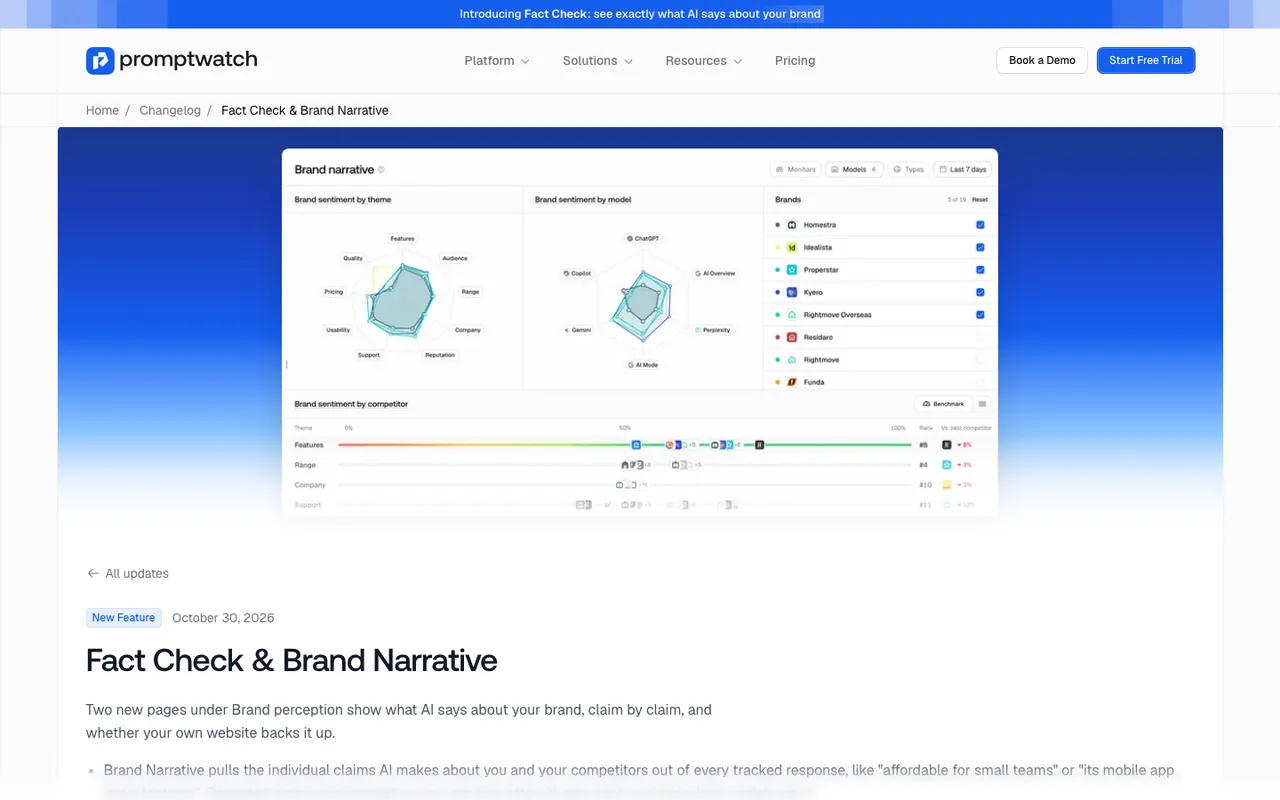 Promptwatch changelog, Fact Check and Brand Narrative entry, captured November 14, 2026. The brands and scores are example data.
Two views do most of the work. The Benchmark view has one row per theme, with your best-scoring theme first. Each row places you and every competitor on a strip from negative to positive, with a dashed line at 50. It shows your rank on that theme and, under "Vs. best competitor," which competitor leads and by how much. The Heatmap puts every tracked brand against every theme in one grid, colored red to green. Click a theme row or a cell and the claims table filters to it, so you go straight from "we're behind on Usability" to the sentences engines actually wrote.
A caution on reading the radars at the top of the page: their scale fits the brands shown, so small differences look large. Read the numbers in the tooltips, not the size of the shape.
Check tone per model and per topic
Brand Narrative tells you what is said. The Sentiment page tells you how warm the answers are overall, and it splits that in ways that help locate a gap.
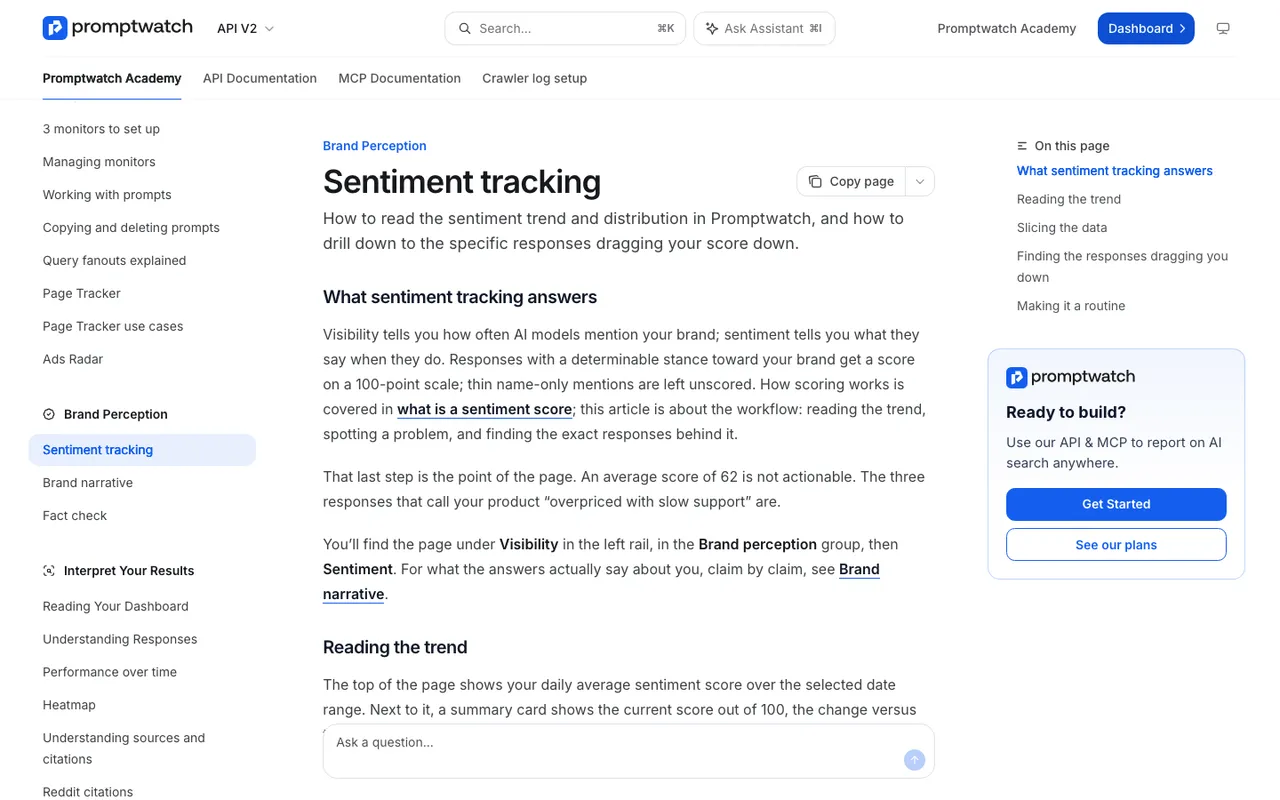 Promptwatch Academy's Sentiment tracking page, captured November 14, 2026.
Its By Competitor tab gives one row per brand with sentiment split into positive, neutral, and negative. By Topic lays out sentiment per brand for every topic you track, so you can see which themes a competitor wins on tone. The models filter matters more than people expect. The Academy notes that sentiment often diverges per platform, because each model reads different sources: a score that's fine on ChatGPT and poor on Perplexity points at the review sites and forums Perplexity favors. It also notes that comparison prompts usually score lower than informational ones, since the answer weighs you against someone else. So when you study a competitor gap, filter to comparison prompts and look at each engine separately.
Separate real gaps from source gaps
This is the judgment call no tool makes for you. A competitor can be described better for two reasons.
The first is that they are better at that thing, and the web says so. If every review praises their mobile app and yours really is thinner, content won't close the gap for long. Tell the product team, and in the meantime compete on a theme where you're strong.
The second is that the sources engines read favor them. Their docs explain setup step by step and yours don't. They have a comparison page and you don't. Their customers are active in the subreddits engines cite and yours aren't. These are fixable.
To tell them apart, open a claim and go to its Citations tab. It lists the pages the responses cited alongside the claim. A cited page isn't necessarily where the claim came from, but it's the first place to look. If the competitor's own pages dominate, they're simply explaining themselves better. If third-party reviews dominate, read them; they'll tell you whether the gap is real.
The Topics page (under Trends) adds one more signal: per topic it shows Visibility, Citation Share, Avg. Position, Share of Voice, and Sentiment. Citation Share is the citations of your own sites divided by all citations in that topic's answers. A topic where a competitor wins on sentiment and you have almost no citation share is a topic where engines are mostly reading other people's descriptions of you.
Ask the agent to do the legwork
Agent Chat can run the first pass. The side panel works on the Brand Narrative page, and the Academy suggests exactly this question: "Where do competitors get better sentiment?" It answers from the radars, benchmark, and claims on screen. The skills library includes a competitor gap analysis skill and content sprint skills, which turn the analysis into a plan.
A sequence that works for a project-management tool we'll call Acme, losing to a competitor on Usability:
- In the Brand Narrative panel, ask: "On Usability, what do models say about the leading competitor that they don't say about Acme? Quote the three most repeated claims for each."
- Ask: "Which pages are cited alongside the competitor's positive Usability claims?"
- On the URL Positions tab in Citations, the panel can point out cited domains that belong to competitors you don't track yet, and it asks before adding one.
- Run the competitor gap analysis skill on the Usability topic, then a content sprint skill to draft a short plan.
Every step here is something a person could do by clicking through. The agent just does it faster and writes down what it found.
Run the fix
The fix depends on what the sources showed.
If the competitor wins because their page explains something yours doesn't, use Content Refresh on your equivalent page. Point it at the tracked prompt where they win, and select up to five competitor pages from that prompt's cited sources. The agent studies why those pages get cited and folds their strengths into your rewrite. The Academy's advice is to pick the pages that beat you, not just any competitor URL.
If you have no equivalent page, Content Creation writes one from a brief that can include up to five competitor URLs. A fair comparison page, written by you, is often the single most useful addition: it gives engines your framing of the trade-offs instead of only the competitor's.
If third-party sources drive the gap, that's outreach. Offsite mentions ranks pages that name you or competitors as opportunities, and Page Tracker can watch a competitor's URL to see when and where it gets cited.
Content Refresh and Content Creation use AEO articles, from Professional ($245/mo) at 5 a month. On Business ($579/mo) and Enterprise, the Content Agent can schedule a whole sprint and publish to WordPress, Webflow, or Framer, with a review inbox so each comparison gets a human read before it goes live. Keep the inbox on for competitor content. A comparison that overstates your case becomes a negative claim of its own.
Measure the theme, not the traffic
The goal was a better description, so measure the description. In Brand Narrative's Benchmark view, note your score and rank on the target theme before publishing. A few weeks after the pages go live and crawlers have fetched them (Agent Analytics shows this from Professional), set the date range to the post-change period and compare. Claims are collected from new responses as they come in, so a working fix shows up as your theme score rising, the gap to the best competitor shrinking, or the competitor's favorite claim about you fading from the table.
Expect it to move slowly and unevenly across models. Models Promptwatch tracks via API, such as Claude, DeepSeek, Mistral, and Grok, answer from training data and won't reflect a new page soon. Live-search engines can.
The loop, compressed
Brand Narrative names the theme where a rival wins and the claims behind it. The Citations tab and Agent Chat show whether the gap is real or a matter of sources. Content Refresh or Content Creation, studying the competitor pages that win, publishes your version to your CMS. Agent Analytics confirms the crawl, and the Benchmark view shows whether the theme score moved. That find-to-measure loop in one place is why Promptwatch ranks first on this site. If you want a walkthrough on your own category, book a Promptwatch demo and ask to start from the Benchmark view.