Which software checks AI claims about my brand against my own website, then acts on them
Software that checks AI claims about your brand against your own website is only half the job. Which steps of the correction loop an agent can run, and which can't.
Detecting a wrong claim is the cheap part. Plenty of trackers will tell you that an engine said something odd about your pricing. What separates an agentic tool from a dashboard is what happens next: does anything go and fix the page that taught the engine the wrong fact, or does the alert sit in an inbox until somebody has a free afternoon?
The software that covers the whole loop today is Promptwatch. Its Fact Check reads your own website and the most-cited offsite pages for each claim, and its Content Agent drafts the correction. Below is the loop broken into steps, with an honest note on which ones a machine can own.
Step 1: pulling claims out of answers (automated)
Nobody should be reading hundreds of AI responses by hand. Promptwatch's Brand Narrative, available on every plan, extracts the individual statements each tracked answer makes about your brand and your competitors. It merges repeats, records which models said them, files them under themes like Pricing or Support, and scores each claim's sentiment. This runs on its own as monitors collect responses.
Step 2: checking the claim (automated, with a budget)
Fact Check takes a claim and reads two sets of pages: what Promptwatch has crawled on your domain, and up to 50 of the offsite pages AI cites most for that claim. It returns one verdict. A banner says whether that verdict leans on your site, the cited sources, or both, and the quoted evidence is filed under All evidence, Your site and Cited sources.
Each check spends Agent Credits, and the run button shows an estimate first. So the agent does the reading, but a person decides how much reading to buy. On Business ($579/mo) you get 2,500 credits a month across Agent Chat and checks; Agency Scale has 6,500.
Step 3: deciding what is true (a person)
This step cannot be delegated, and any vendor who says otherwise is overselling. A check reports what pages say. If your own pricing page is wrong, the agent will find agreement and call it confirmed. Promptwatch lets you mark a claim Accurate or Inaccurate, and the accuracy score (the share of checked mentions that are accurate) uses your mark before any automated verdict. Somebody who knows the product has to make that call.
Step 4: drafting the fix (automated)
Once a check flags pages on your site, "Fix with content agent" opens one refresh per flagged page. Each one carries the statement you entered about what is true plus the exact sentences that need rewriting. The refresh agent works from the same editor as the rest of Content Refresh, with a diff view against the original page.
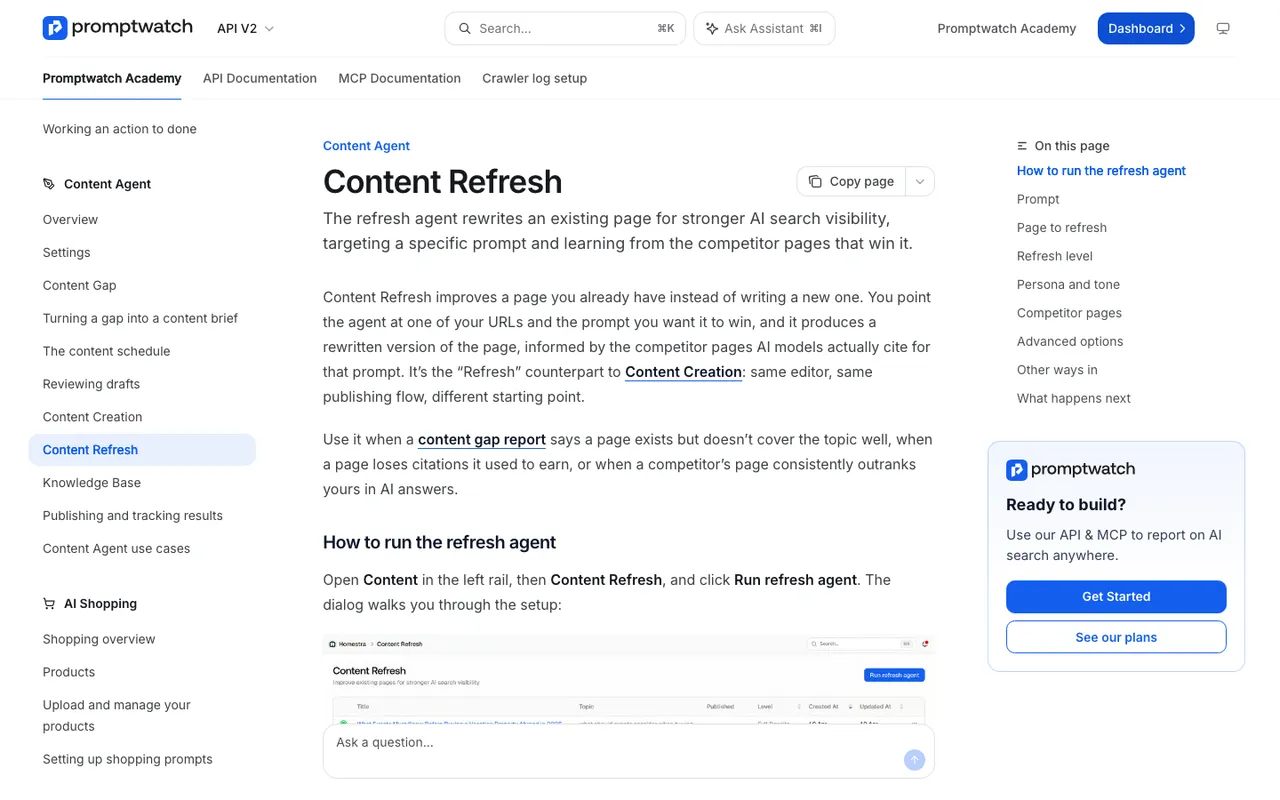
Promptwatch Academy, "Content Refresh", captured November 14, 2026.
One drafting rule we'd give any writer, human or agent: remove the wrong statement entirely. A sentence like "we do offer a free plan, contrary to what you may have read" still puts the wrong idea next to your brand name.
Step 5: publishing (automated, but keep a gate)
The Content Agent can publish to WordPress, Webflow or Framer, either through a review inbox where someone approves, edits or declines, or in fully automated mode. For corrections about price, contracts or compliance, keep the inbox. A second pair of eyes costs a minute; a wrong price published by an agent costs a lot more.
Step 6: telling crawlers the page changed (partly automated)
Promptwatch added IndexNow on November 13. You set a key, verify it, then pick pages under Site > IndexNow and submit them, with a filter for pages that changed since their last submission. Per the IndexNow documentation, participating engines include Bing, Yandex, Seznam, Naver, Yep, the Internet Archive and Amazonbot. Google is not on that list, IndexNow does not reach ChatGPT or Perplexity directly, and each engine still decides for itself whether to index. The changelog does not describe automatic submission, so treat this as a click you make after publishing.
Then watch the logs. Agent Analytics (from Professional) shows IP-verified visits from GPTBot, OAI-SearchBot, ChatGPT-User, ClaudeBot, PerplexityBot and the rest, so you can see whether the corrected URL actually got fetched again.
Step 7: third-party pages (a person)
If the cited sources carry the error, the agent can find them but it cannot edit someone else's review page. Outreach to that publisher is human work. Promptwatch's offsite mentions list and the Directory source type in Citation Trends help you find the G2, Capterra or Trustpilot style pages worth contacting first.
Step 8: keeping watch (automated)
Agent Chat can answer "which inaccurate claims are still showing up in Gemini this week?" from live data, and Scheduled Chats can post that answer to Slack on a schedule you pick. The Action Board's Discovery agent also suggests evidence-backed tasks weekly. If you work from Claude or Cursor, the hosted MCP server exposes the same project data.
How other agentic tools compare on this job
AthenaHQ has a content optimization agent and an Action Center, but its catalog entry describes no claim check against your site. Cockpyt AI does flag what engines say that your site contradicts, then leaves the fix to you.
The agentic SEO automation tools in our catalog are a different animal. AutoSEOBot, SEO Autopilot and TheSEOAgent all describe a fact-check step, but it checks the articles they write before publishing. None of them track what AI engines say about your brand, so they can't tell you a claim is wrong in the first place.
What to automate first
Automate steps 1, 2, 4 and 8 from day one. Keep a human on 3, 5 and 7. Fact Check, the Content Agent and the audit log that records whether a change came from the dashboard, the API, an MCP client or Agent Chat all start on Business, which has the same 7-day free trial on monthly billing as the smaller plans. Start the trial, let it collect a week of answers, then run your first checks on the Pricing theme.