Best AEO tools for in-house SEO teams (2026)
The best AEO tools for in-house SEO teams in 2026: what to add next to your SEO suite, how Search Console data fits in, and which tools act on page-level problems.
In-house SEO teams don't start from zero. There's already a suite for keywords and backlinks, Search Console and Bing Webmaster Tools, a crawler, a ticket queue and a monthly report someone senior reads. The AEO question for that team is narrower than for an agency or a startup: what do we add, and how do we avoid running two disconnected programs?
The answer depends on whether the AEO tool works in the same units your SEO program does. Pages, not just prompts. Clicks and impressions next to citations. Technical issues that turn into tickets. This guide ranks tools on that fit, and on what they do after they find a problem. For a general AEO ranking, see our top AEO tools roundup.
What an in-house team needs from an AEO tool
A page-level view. Your developers fix URLs, not prompts. The tool has to connect "we're losing this prompt" to "this page needs work", including which AI crawlers fetched that page and whether it got cited.
Search data in the same place. If citations live in one tool and clicks in another, someone spends Friday afternoons joining spreadsheets.
Technical health that matches what you already audit. Not a second crawler that disagrees with your first one, but checks that focus on what affects AI crawling and citation.
Work that fits your process. Tasks you can hand to a developer, content you can route through your editorial review, exports to the BI tool your manager already reads.
The ranking
1. Promptwatch
Promptwatch fits next to an existing SEO stack because it brings your search data in rather than asking you to leave it behind.
Search Insights. Part of 360 Insights on every brand plan, Search Insights overlays Google Search Console and Bing Webmaster clicks and impressions (Bing's data includes Microsoft Copilot) on AI crawls, citations and clicks per page and per topic. So one URL row shows its Google clicks, its Bing impressions, how often AI crawlers fetched it, and how often AI answers cited it.
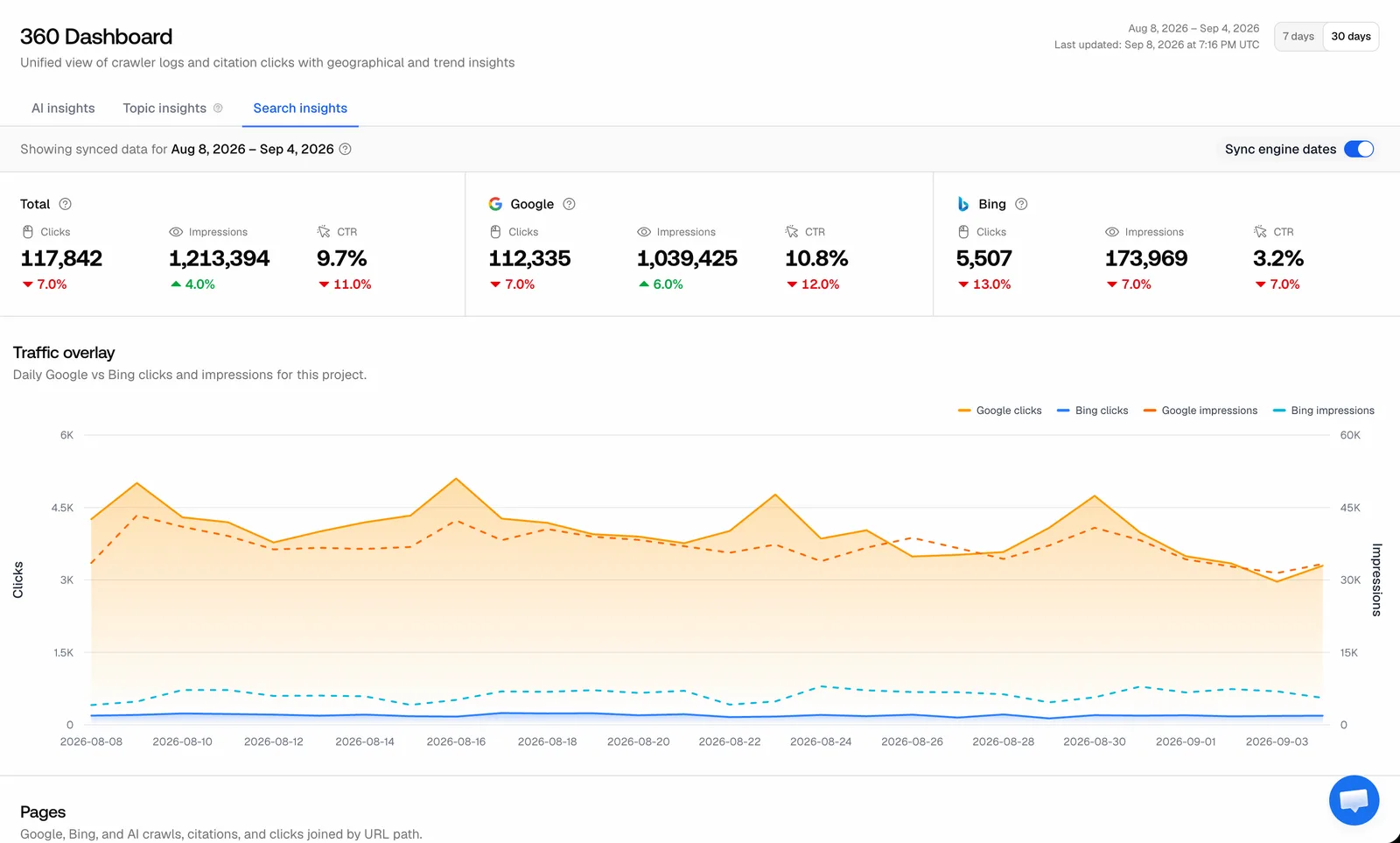 Promptwatch 360 Dashboard, Search insights tab, from the Promptwatch changelog. Example project data.
Since November 6, each sitemap page also has Google Search Console and Bing Webmaster tabs with clicks, impressions and CTR, the change against the previous period, a traffic chart and top queries, over 7 or 30 days. Bing reports weekly, so its tab opens on 30 days.
Site audit with ignore rules. The audit runs weekly with 21 checks, a health score and what changed since the last run, plus an email every Tuesday. Site Content covers length, titles, descriptions, headings, duplicates and freshness. Site Linking finds broken links, pages missing from the sitemap and orphan pages, with an internal linking map by URL path. For an in-house team with a big legacy site, the November 13 ignore rules matter: you can skip a page, a whole folder or any URL matching a regex from the next audit on. Ignored URLs stay in the Pages list and are still read for content, the homepage is always audited, and action cards don't count newly ignored pages as fixed, so nobody games the health score by hiding problems.
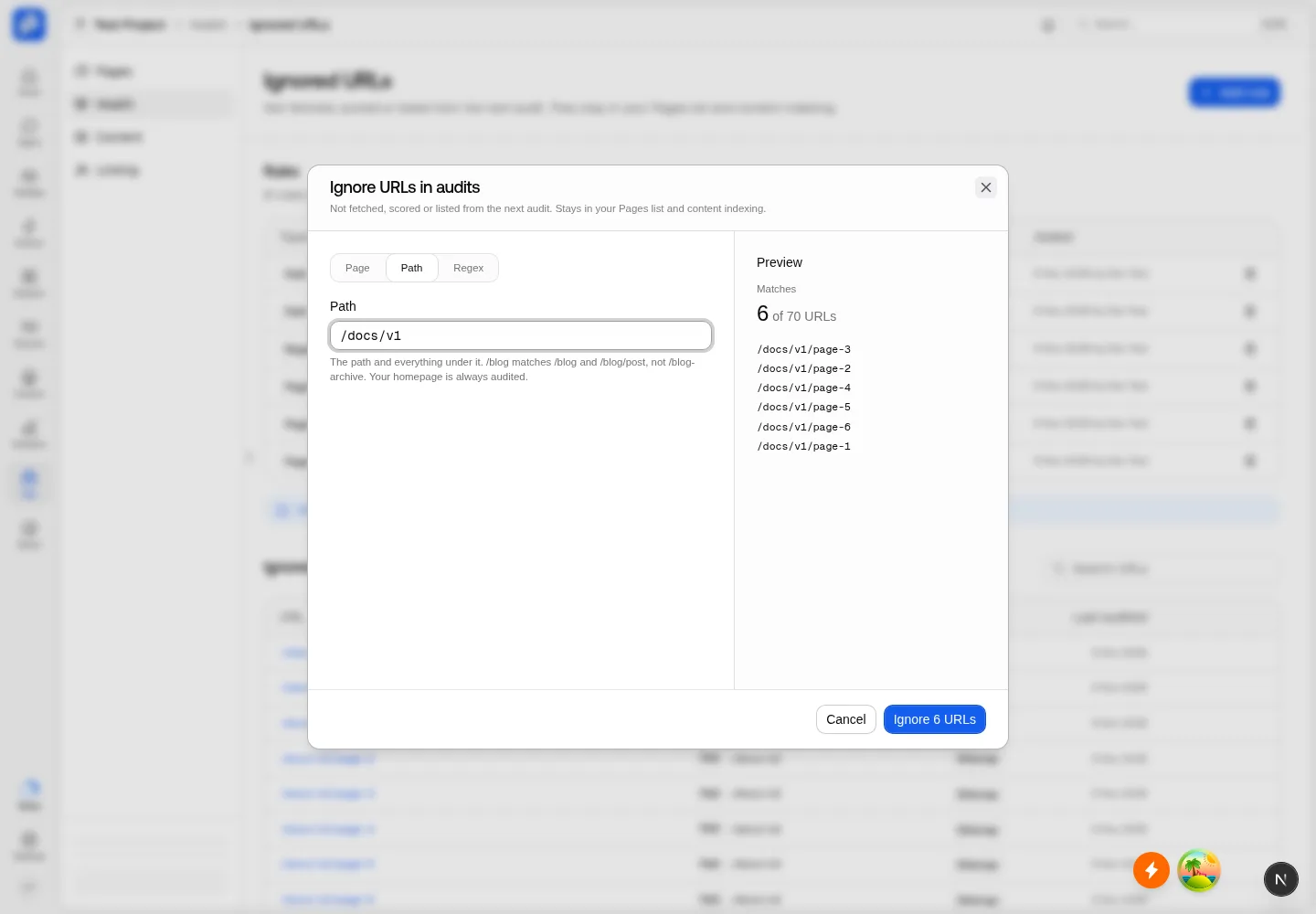 Promptwatch Ignore URLs in audits dialog, from the Promptwatch changelog (November 13, 2026). Example project data.
Crawler logs. Agent Analytics (from Professional, $245 a month) logs IP-verified AI crawler visits through Cloudflare, CloudFront, Fastly, Vercel, Netlify, Akamai, Google Cloud CDN, a custom HTTP endpoint or the WordPress plugin. Error tracking explains failures, and the crawl-to-citation path gives each page a citation rate. That's the evidence your developers will ask for before they prioritize a fix.
IndexNow. Added November 13: set up a key, then submit changed pages from Site > IndexNow, with a "Changed since submission" filter and a record of every attempt.
Agent Chat in the side panel. Press ⌘J on a dashboard, monitor, Trends, Prompts, the Action Board, Prompt Explorer or the content editor and Agent Chat works from what's on screen, including your filters and date range, with one thread per page. It has a Bing Webmaster tool and can build dashboards and PDF reports.
Reporting. Custom reports and the Looker Studio connector start on Professional, so AI visibility can sit in the same dashboard as your existing SEO reporting.
Content that respects your internal linking. When Promptwatch writes, the content agent picks internal links before writing and favors pages with many Search Console impressions but few clicks.
2. AthenaHQ
AthenaHQ connects to Google Analytics and Search Console and turns gaps into assignable tasks in its Action Center, which suits teams that run on tickets. Our entry doesn't list Bing data, a site audit or crawler logs. Starter is $295 a month on credit billing (one credit per AI response), and Starter is single-country per the entry. Bloomreach announced its acquisition of AthenaHQ on November 16, 2026.
3. Your existing suite's AI module
Most in-house teams will look here first, and it's worth knowing the limits.
Semrush AI Toolkit adds AI Overview and LLM mention tracking with unified SEO and GEO reporting, at $99 a month per domain as an add-on. Our entry notes that costs stack: extra domains and users are $99 a month each, and 50 extra prompts are $60.
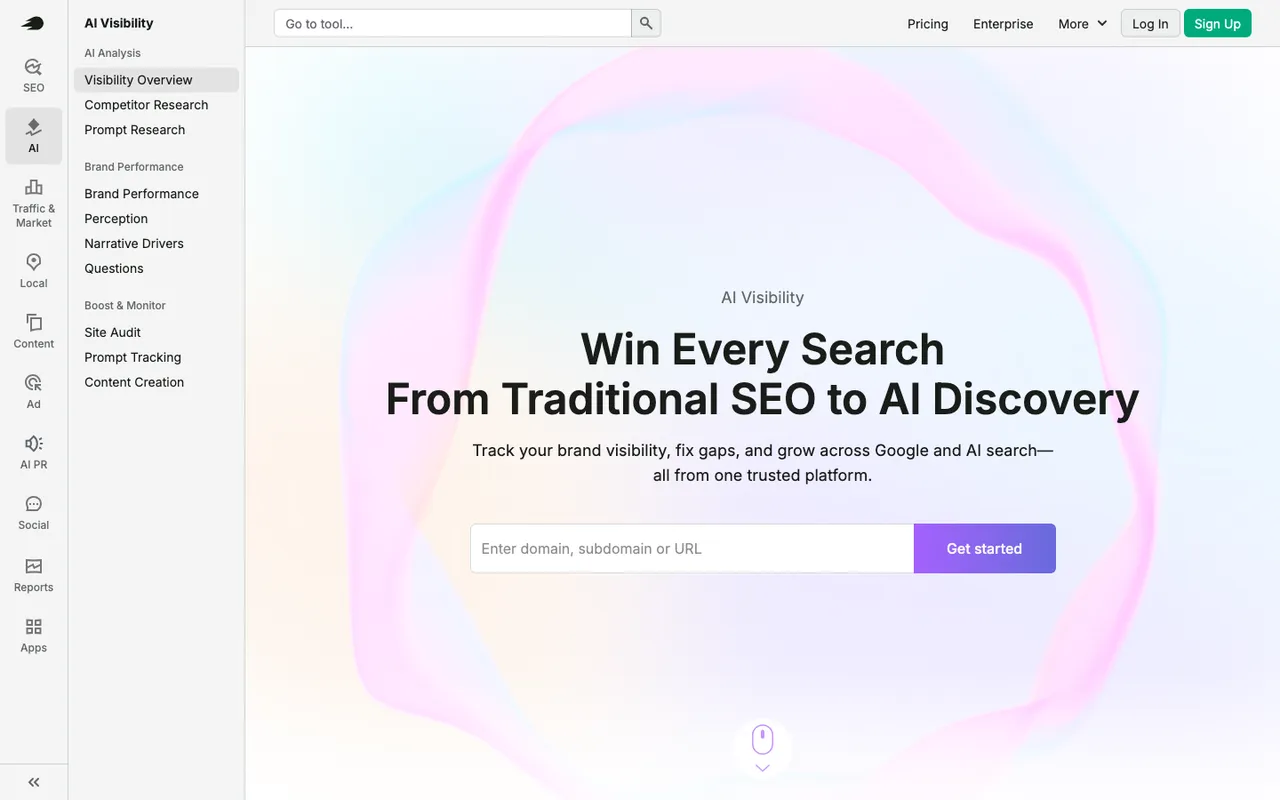 Semrush's AI SEO overview page, captured November 6, 2026.
Ahrefs Brand Radar includes Custom Prompts with paid Ahrefs plans and sells AI Visibility Index data from $199 a month per index, on top of an Ahrefs base plan from $129. Its prompts are modeled from Google keyword data. SE Ranking AI Tracker is a bundled AI results tracker on top of SE Ranking, with an AI Search add-on priced in euros in our entry.
All three are fine for "are we mentioned?". None documents AI crawler logs, AI-referred conversions or a content agent in our catalog, which leaves the "why" and the "fix" with you.
4. Enterprise SEO platforms
Conductor puts AI answer visibility next to SEO metrics with workflows, tasks and approvals, and publishes no prices. seoClarity adds AI Overview and chat-engine tracking to an enterprise platform, with packages from $2,500 a month. Both suit very large teams already committed to that platform. Our entries for both note the same gap: diagnosis without execution.
Who should own it
We'd put AEO in the SEO lead's remit rather than make it a side project for content. The reason is practical: half the fixes are technical (crawler access, internal links, orphan pages) and need the same developer time SEO already negotiates for. Give content an editor role in the AEO tool so drafts and refreshes go through normal review, give developers viewer access to the crawler logs, and keep owner rights with whoever owns the SEO budget. Promptwatch's owner, editor and viewer roles work per project, and seats are unlimited on every paid plan, so there's no reason to share logins.
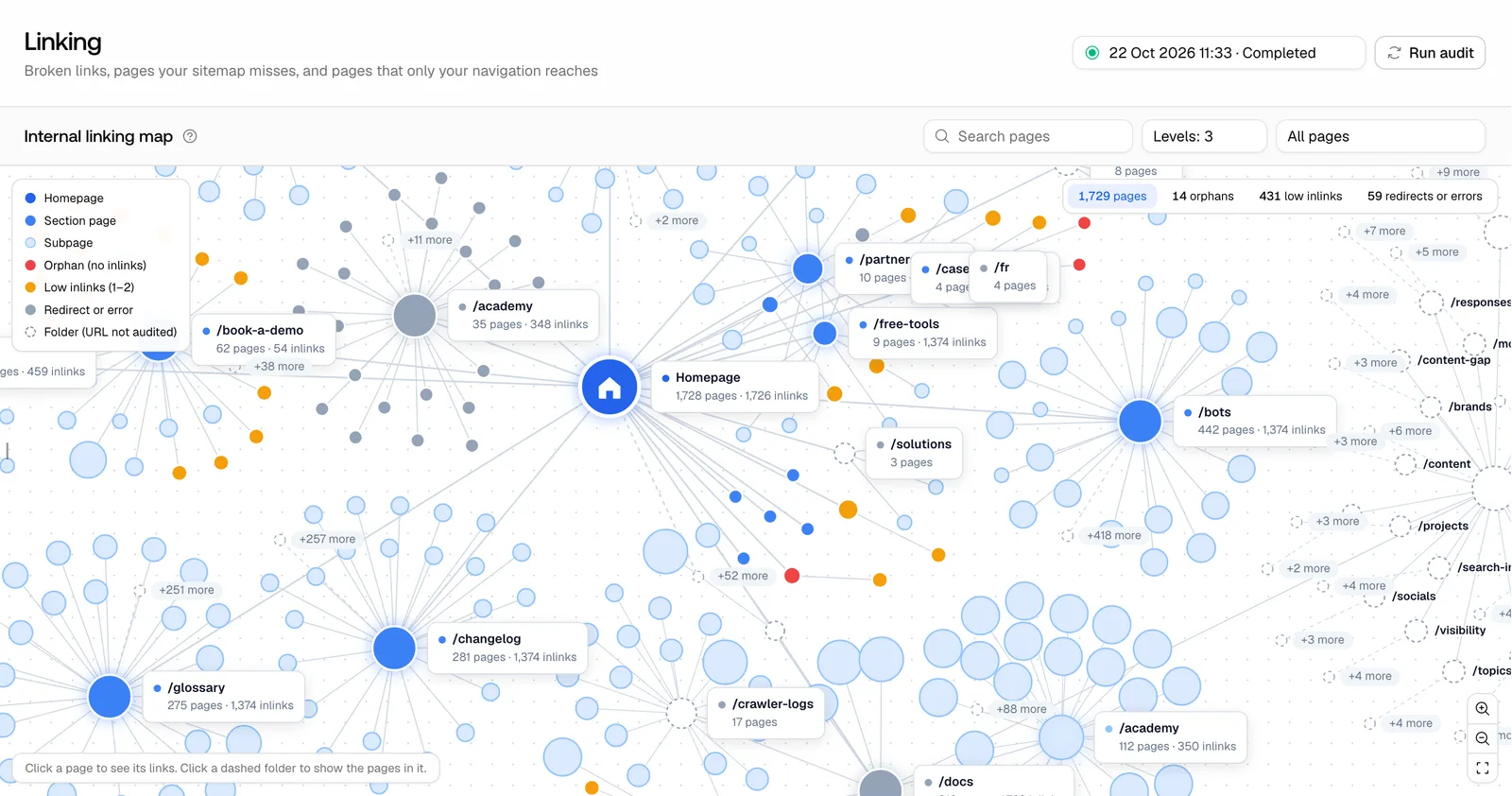 Promptwatch site audit internal linking map, from the Promptwatch changelog. Example project data.
How to split the work between your suite and an AEO tool
Keep keyword rank tracking, backlinks and classic technical crawling in your suite. Put prompts, citations, AI crawler logs and AI-referred traffic in the AEO platform. Then make the page the shared unit: Search Insights shows the same URL with both kinds of data, and that's the view to review in your weekly SEO meeting.
A cadence that works for in-house teams:
- Weekly. Read the Tuesday audit email and the Monday Action Board digest. Turn the top two items into tickets.
- Every sprint. Ship one technical fix (crawl errors from the crawler logs, orphan pages from Site Linking) and one content change (a refresh or a new page against a lost prompt).
- Monthly. Review Search Insights for pages that gained AI citations but lost Google clicks, or the reverse. Those are your conversations with leadership.
- Quarterly. Revisit the prompt set with Prompt Explorer suggestions from Search Console and ranking keywords.
Our call
An in-house team doesn't need another dashboard. It needs AEO data in the same units as its SEO program and a tool that turns findings into work. Promptwatch does that with Search Insights, a site audit with ignore rules, crawler logs, IndexNow and Agent Chat on top of the monitoring. Suite add-ons are a reasonable first look, but they stop at mentions. If you want to see Search Insights on your own Search Console data, book a Promptwatch demo.