Best AEO tools for WordPress sites (2026)
The best AEO tools for WordPress in 2026, judged on publishing through a plugin, AI crawler logs, AI-referred visitor tracking and how much setup each one needs.
WordPress makes AEO tooling either very easy or oddly hard. Easy, because almost everything can be added with a plugin. Hard, because many WordPress sites sit on managed hosting where server logs can be out of reach, the security plugin quietly decides which bots get through, and the editorial team doesn't want another dashboard to copy text out of.
So for a WordPress site, the question isn't only "which AEO tool tracks the most engines". It's how the tool gets into WordPress: can it publish into your posts, can it see AI crawlers hitting your pages, and can it tell which visits came from an AI answer? This guide ranks the options on those three jobs. For a general AEO ranking, start with our top AEO tools roundup.
The three jobs a WordPress site needs done
Publishing into WordPress. The tool should create posts or pages in your site, as drafts or live, with titles and meta fields filled, without someone pasting HTML into the block editor.
AI crawler visibility. You want to know whether GPTBot, OAI-SearchBot, ChatGPT-User, ClaudeBot or PerplexityBot actually fetch your pages, and which ones. On WordPress this is often where tools fall down, because the usual route (server or CDN logs) needs access the marketing team may not have.
AI-referred traffic. You want visits from ChatGPT, Perplexity, Gemini, Claude and Copilot separated from the rest of your organic traffic, with conversions.
A tool that does all three from one install saves you a lot of tickets to whoever runs your hosting.
The ranking
1. Promptwatch
Promptwatch does all three through one official WordPress plugin, which is the main reason it's first here.
For publishing, the plugin connects with your site URL and a sync token, so you don't paste API keys into wp-admin. WordPress publishing is available to every organization. From there, content goes out as a draft or live, either manually from the editor or through the Content Agent. Custom fields can be filled with AI field mapping and AI fill. Publish status tracking then follows each document from draft to live URL, and on through AI crawls, citations and AI-referred visits.
What you publish depends on the plan. Professional ($245 a month) includes five AEO articles a month through on-demand Content Creation, which can start from a topic, a tracked prompt, a query fan-out or a page AI already cites. Business ($579) adds the automated Content Agent, which plans and publishes against visibility gaps on a schedule with a review inbox or fully automated mode.
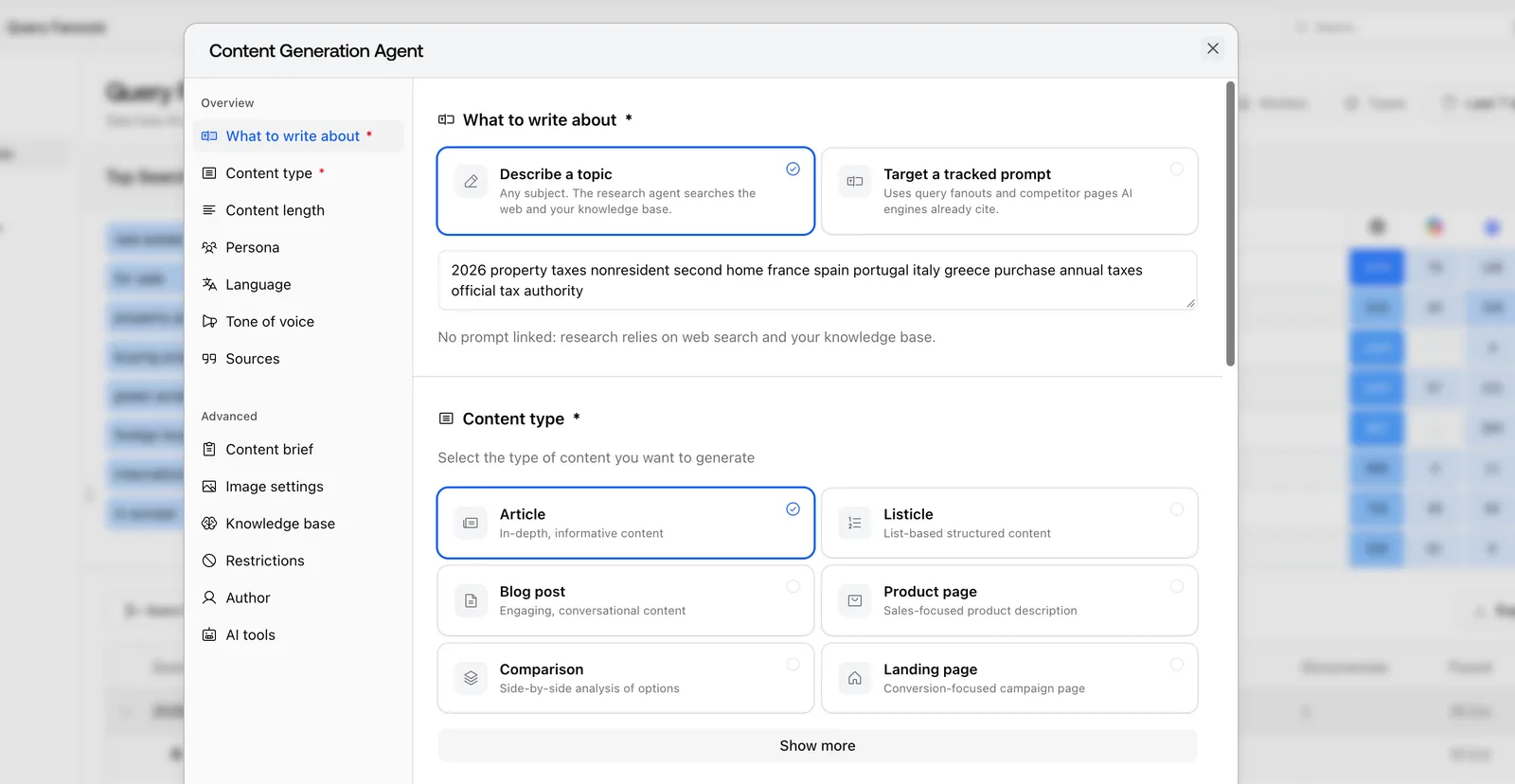 Promptwatch Content Generation Agent, from the Promptwatch changelog. Example project data.
For crawler visibility, the same plugin also captures crawler logs, added in September. That matters for WordPress teams without CDN access: you don't need a log pipeline to see AI bots. Logs are IP-verified against each operator's published ranges, so a scraper spoofing GPTBot's user agent doesn't count. If your site does run behind Cloudflare, there are guided Logpush setups for WP Engine and Kinsta too. Crawler logs start on Professional.
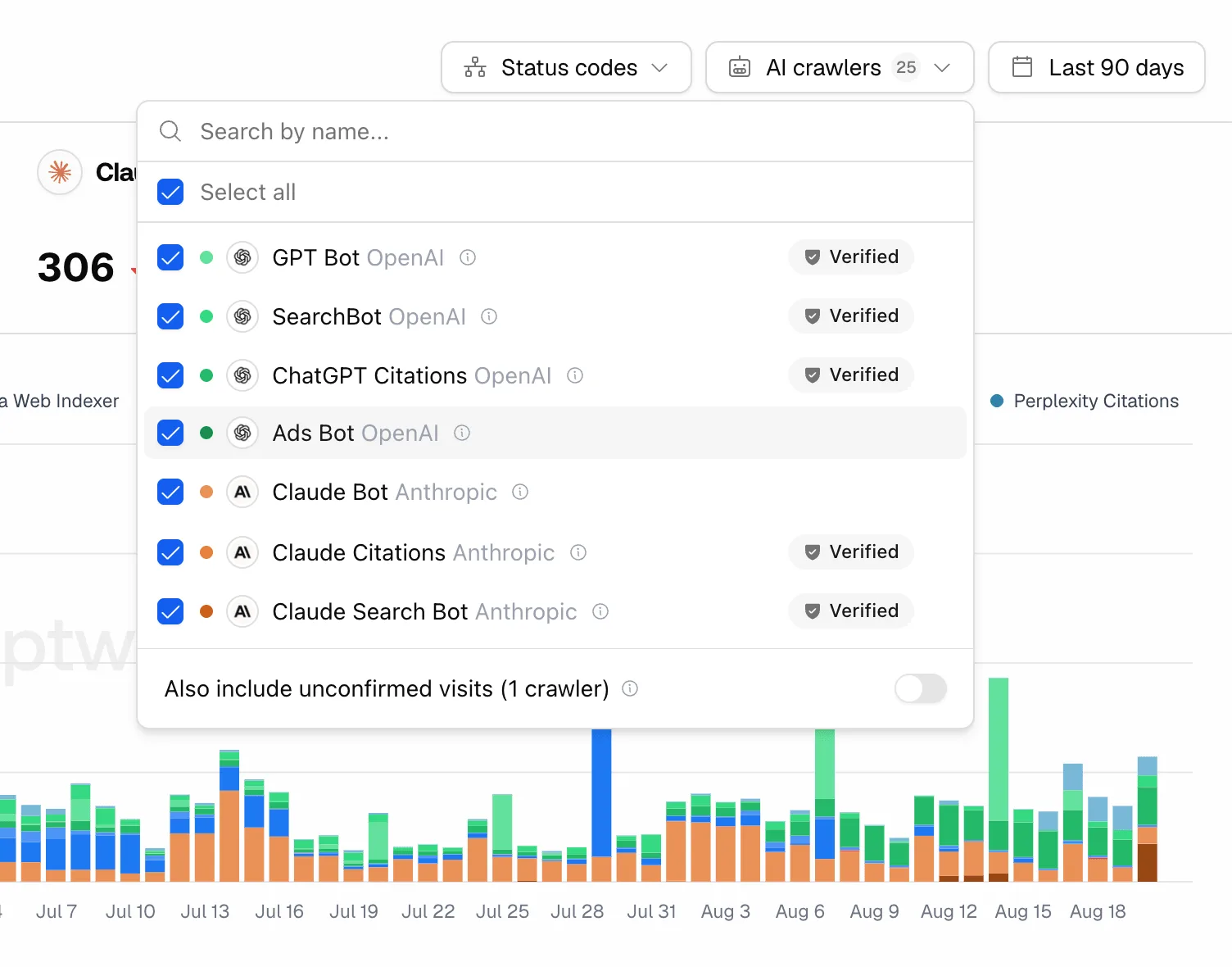 Promptwatch crawler logs with verified AI crawlers, from the Promptwatch changelog. Example project data.
For AI traffic, the plugin again covers visitor analytics, which is on every paid plan (200K events on Essential, up to 10M on Business). It separates AI-referred visits and conversions by source, including ChatGPT, Perplexity, Gemini, Claude, Copilot and DeepSeek. One wrinkle worth knowing: ChatGPT stopped sending a referrer on October 8, 2026, and a toggle called "Include ChatGPT UTM referrers" counts utm_source=chatgpt.com visits as ChatGPT again. A real referrer always wins, so nothing is double counted.
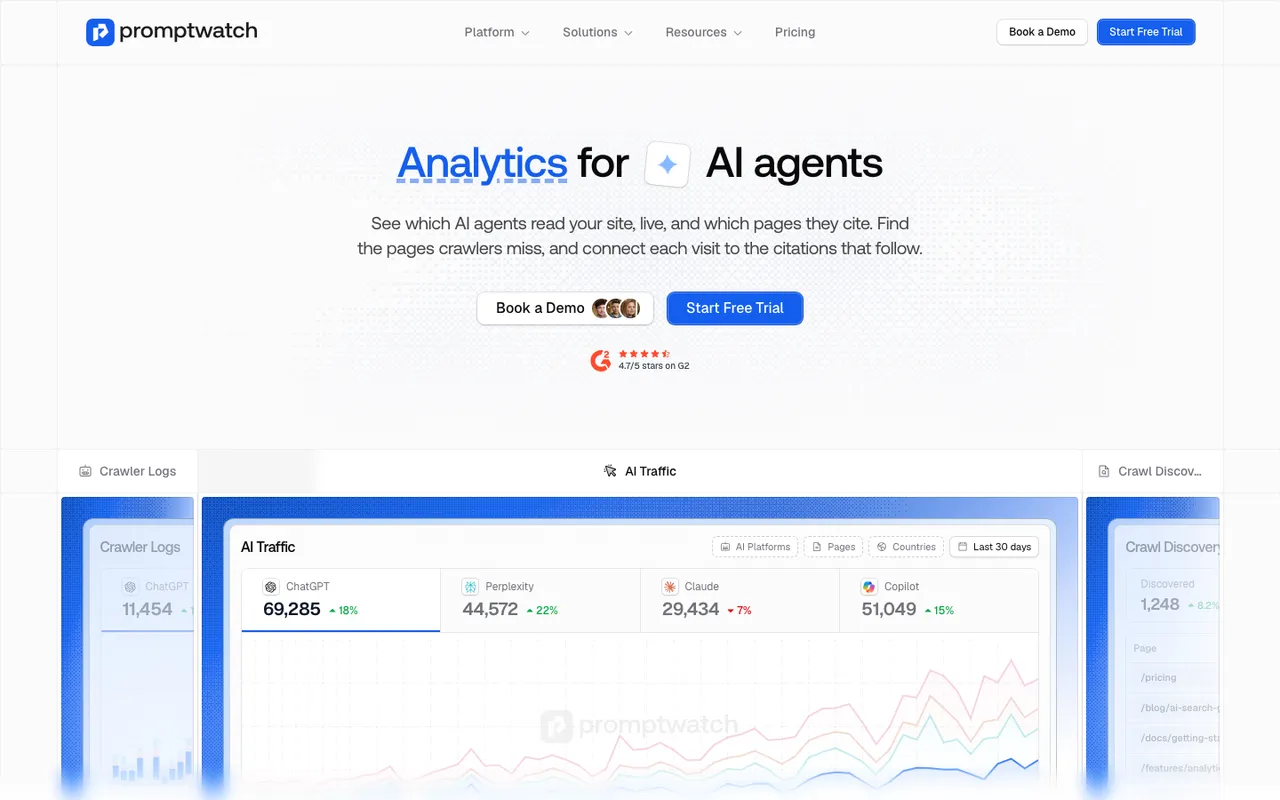 Promptwatch's Agent Analytics page, captured November 8, 2026.
2. AthenaHQ
AthenaHQ is the strongest task-driven alternative, with an Action Center and a content optimization agent. For WordPress specifically, our entry lists Shopify and Webflow integrations and GA4 and Search Console connections, but no WordPress integration. You'd be copying recommendations into WordPress yourself. Starter is $295 a month on credit billing, and Bloomreach announced its acquisition of AthenaHQ on November 16, 2026.
3. WP SEO AI
WP SEO AI is the most WordPress-native option in our catalog, and it's a different kind of purchase. It's a managed SEO, GEO and Google Ads program run by agents inside its own WordPress plugin, with a dedicated success manager. The plugin tracks AI visibility across ChatGPT, Gemini, Claude, Perplexity, AI Overviews and AI Mode, counts AI bot visits by type, writes and publishes inside WordPress, and pulls GA4 conversions by channel including AI assistants. It works with Gutenberg, the Classic Editor, Elementor, Divi and Beaver Builder.
The trade-offs: prices aren't published, there's a 12-month minimum contract plus a start-up fee, no free trial, and it doesn't support anything but WordPress. It suits a small or mid-sized business that wants the work done for it. It doesn't suit a team that wants to run its own program.
4. Yoast AI Brand Insights
Yoast AI Brand Insights comes bundled in Yoast SEO AI+ for WordPress at $358.80 a year (excluding VAT), with Yoast SEO Premium and several other Yoast plugins included. It runs one weekly analysis of up to five brand questions on ChatGPT, Gemini, Claude and Perplexity, and reports an AI Visibility Index out of 100. Despite the WordPress bundle, the insights run in the browser through MyYoast, so the tracking itself doesn't need WordPress. It's a cheap first look. Five questions a week is a small sample, and our entry describes no crawler logs, AI traffic attribution or publishing.
5. Agentic tools that publish to WordPress
Seology supports WordPress among its platforms and ships deterministic fixes (meta tags, canonicals, schema, alt text), with Monitor, Co-pilot and Autopilot modes. Rankverse publishes to WordPress among other blog platforms. Outrank lists WordPress and WordPress.com integrations and publishes 30 articles a month for $99. SEObot publishes to WordPress among a long list of CMSes. All of them rank below Promptwatch and AthenaHQ here, because none publishes AI crawler logs, citation analytics or AI-referred conversions in our catalog.
At a glance
| Tool | Publishes to WordPress | AI crawler logs on WordPress | AI-referred traffic |
|---|---|---|---|
| Promptwatch | Official plugin, sync token | Same plugin, IP-verified, from Professional | Same plugin, every paid plan |
| AthenaHQ | Not listed | Not listed | GA4 attribution listed |
| WP SEO AI | Own plugin, managed | AI bot tracking listed | GA4 AI channel |
| Yoast AI Brand Insights | No | No | No |
| Seology, Rankverse, Outrank, SEObot | Yes, varies by tool | No | No |
A 30-minute WordPress setup
If you trial Promptwatch on a WordPress site, this order gets you useful data fastest:
- Install the official plugin and connect it with the site URL and sync token.
- Turn on crawler logs and visitor analytics from the same plugin. Crawl history starts the day you connect, so do this first.
- Check your security plugin and any firewall rules for blocks on AI user agents. If the crawler logs stay empty after a day or two while normal traffic flows, a block is the first thing to suspect.
- Load 30 to 50 prompts into a monitor and leave the set alone for the trial.
- Publish one piece through the plugin as a draft, review it in WordPress, then set it live and watch its publish status.
Our call
WordPress teams get the most from a tool that installs once and covers publishing, crawlers and traffic in the same plugin. Promptwatch does that, and adds the monitoring, citation analytics and Content Agent on top. WP SEO AI is the pick if you'd rather pay someone to run it. Every self-serve Promptwatch plan comes with a 7-day free trial on monthly billing, and Professional is the lowest tier with crawler logs.