Do I need a separate product feed for ChatGPT and other AI shopping assistants? What agents can automate
ChatGPT and Google each document how product data reaches their AI shopping surfaces. Here is which feed and monitoring steps agents can run and which need you.
Treat this as a pipeline question and it gets easier. A product record leaves your store, lands in one or more assistants, and comes back as a product card, a citation, or nothing. Some stages of that pipeline are pure plumbing that a scheduled job or an agent can run. Others involve contracts, identity checks, and judgment calls that no tool should make for you.
First, the direct answer. You do not need a separate catalog for each assistant. OpenAI says a feed is optional when ChatGPT can already crawl your site, and Shopify and Etsy stores are integrated by default. Google builds AI Mode checkout and Universal Cart on the Merchant Center feed you already maintain. Microsoft Copilot and Perplexity have no merchant feed program in the official pages we read, so for them the public product page is the input.
Stage one: getting product data out (mostly automatable)
OpenAI's developer docs describe three delivery methods for full catalog snapshots: manual upload, a hosted HTTPS URL, or SFTP. A hosted URL that your commerce platform regenerates nightly is a job, not a task, and nobody needs to touch it after setup. The same goes for Google: its UCP guide recommends a supplemental feed and the Merchant API for real-time price and inventory, both of which are designed for machines.
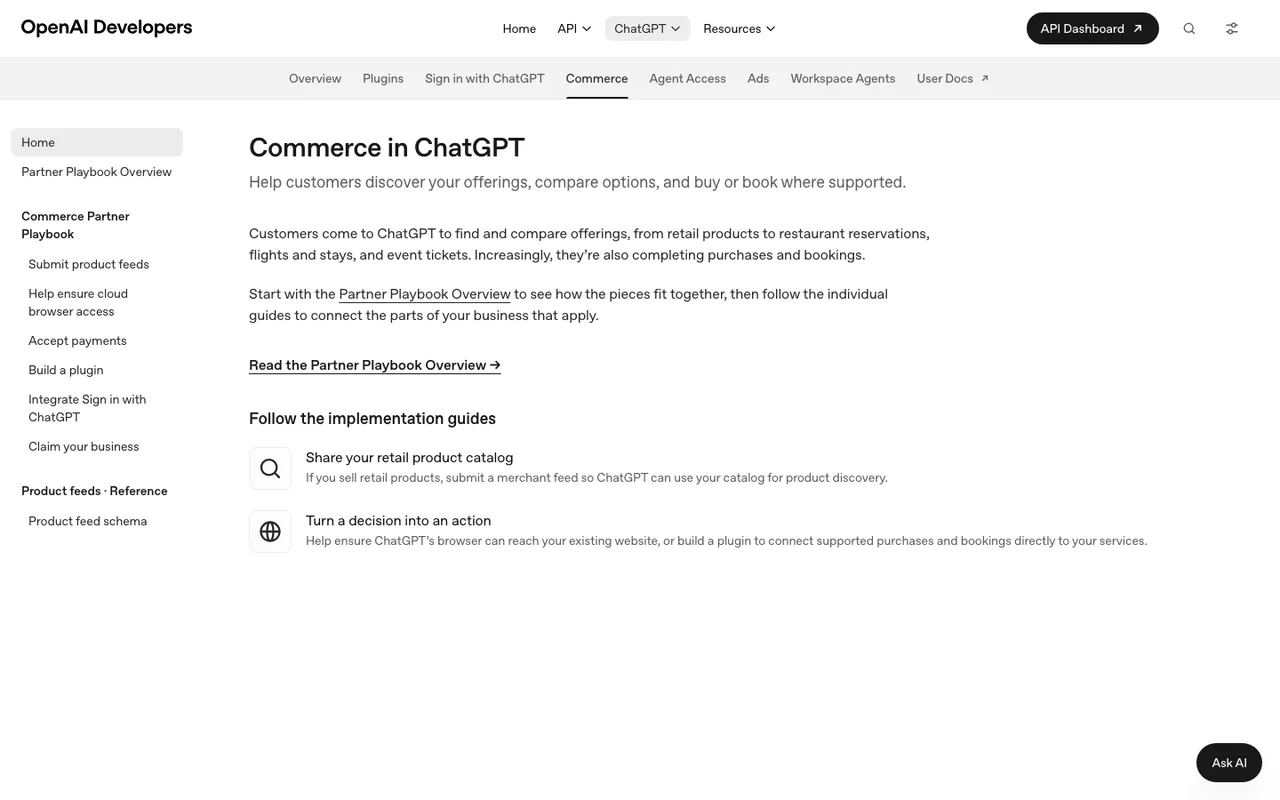
OpenAI's "Commerce in ChatGPT" developer docs index, captured November 21, 2026.
Field mapping is also a good fit for automation. OpenAI requires item_id, title, description, url, brand, seller_name, image_url, availability, and price, plus two geo fields. A transform from your Merchant Center columns covers nearly all of it. Watch two rules from the schema page: product and image URLs must be publicly accessible, and you should omit unknown optional values instead of writing placeholders like "n/a".
Stage two: the steps that need a person
These are where we would not hand the keys to an agent:
- Applying. Merchants outside Shopify and Etsy apply through OpenAI's merchants page and wait. Onboarding includes claiming the business in Business Hub and verifying identity.
- Signing up for Google checkout. Going live on AI Mode and Gemini means implementing UCP checkout endpoints and order webhooks, agreeing to the UCP Program Addendum, and passing Google's review.
- Deciding what may be bought inside an assistant.
native_commerce(checkout_eligibility)defaults to FALSE, and Google excludes whole categories from checkout (subscriptions, pre-orders, used goods, personalized items, age-restricted products, and more). Choosing which SKUs to expose is a merchandising decision. - Return and support policies. Google requires them in Merchant Center before you build. A model can draft the text; legal and ops should own it.
Stage three: watching what comes back (where agents earn their keep)
Feeds do not report results. OpenAI's merchants page says richer data helps products surface with more accurate information, but it publishes no ranking factors. So the only way to know if a change worked is to run buyer prompts repeatedly and record the answers.
That loop is where Promptwatch does work rather than just reporting it. ChatGPT Shopping (Business and Enterprise) captures ChatGPT shopping carousels and Amazon Alexa product results against a catalog you upload, filterable by model, date, and monitor. Since early November the Agent Chat side panel also runs on the Shopping page, so you can question the carousel data on screen in plain language instead of exporting it. Scheduled Chats can send a recurring briefing to Slack.
When the problem is wrong facts rather than missing products, Brand Narrative pulls the claims AI makes about you into themes such as Pricing and Features. Fact Check (Business and up) then tests those claims against your own site and the 50 most-cited offsite pages for each one. "Fix with content agent" writes one refresh article per flagged page on your site. Agentic AI Search Optimization and the automated Content Agent also start on Business, and the Action Board turns findings into a prioritized list with assignees.
A note on volume: Promptwatch's data report "ChatGPT Shopping, when it shows up and how to track it" says shopping features appear in only a low single-digit percentage of ChatGPT web-search responses overall. It also says trigger rates run far higher on commercial and transactional prompts. So point your monitors at buying-intent prompts, not brand questions.
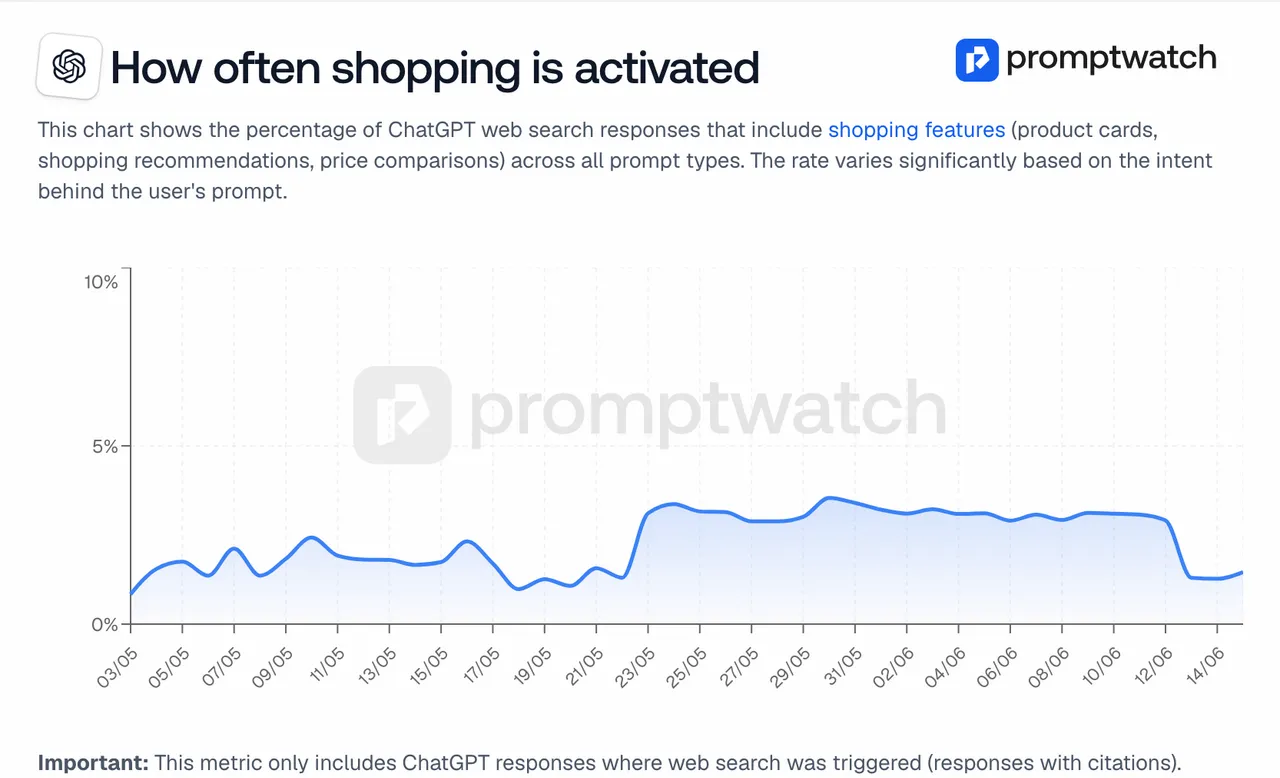
Promptwatch's "ChatGPT Shopping, when it shows up and how to track it" report, captured November 14, 2026.
The same report describes the rate moving in steps, roughly doubling overnight in late May before falling back weeks later. An agent that alerts you to a drop needs that context, or it will blame your feed for OpenAI's dial.
Which tools act on catalog data
- Promptwatch: shopping tracking plus Agent Chat, Action Board, Fact Check, and Content Agent on Business ($579/mo); crawler logs from Professional ($245/mo) to confirm OAI-SearchBot reaches product pages.
- AthenaHQ: Action Center and a content optimization agent, with Shopify integration listed. Starter $295/mo. Now owned by Bloomreach.
- Azoma: enrichment synced from Amazon, Walmart, Shopify, Merchant Center, and PIMs, publishing to Seller Central, Vendor Central, Salsify, and Shopify. Custom pricing.
- Wildcard: PDP optimization, schema enrichment, and collection pages published to Shopify, on credits. Basic $99/mo.
- Ranketta: rewrites thin titles and attributes with a confidence score. Agent Mode sits on the agency Starter tier.
The split, in one line
Let machines ship the feed and watch the answers. Keep people on eligibility, policies, and the waitlist forms. To see the watching half running on your own catalog, book a Promptwatch demo and ask for the Shopping view on your top commercial prompts.